SERIAL PROTOCOL
OVERVIEW
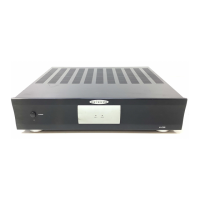
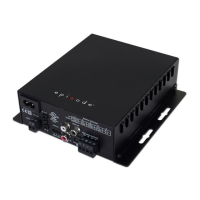
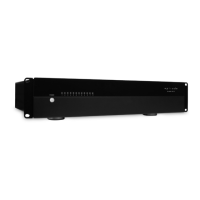
The following information will guide the installer through simple set up and programming for serial control of Episode™
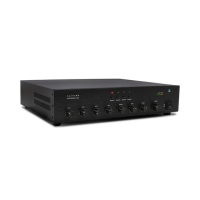
ESA-70V2CH-150W/300W/500W Amplifiers.
Please read the entire document before any RS-232 setup.
If you have any questions about serial control after reading this document, please contact Technical Support.
CONTACTING TECHNICAL SUPPORT
Phone: 866.838.5052 or 704.909.5229
Email: support@episodeaudio.com
BEFORE BEGINNING
Make sure the following items are close at hand for setup:
• ESA-70V2CH-150W/300W/500W Amplifier
• Control system with serial output
• Control system documentation
• ESA-70V2CH-150W/300W/500W Installation Manual
• Serial cables and adapters for connection between controller and amplifier
• List of the functions to program into the control system
FIRMWARE VERSION
The information in this document applies to ESA-70V2CH-150W/300W/500W amplifier with firmware version
01.00.78.370, or higher. If the firmware version is below 01.00.78.370, please update to the latest version.
UPDATING FIRMWARE
Via GUI
1. Ensure the firmware file is saved onto a PC and follow the steps below:
2. Click on the Micro.DSP tab
3. Click “Enable HTTP Bootloader”
4. Choose the new firmware file on your PC and click “Upload”
NOTE: Some browsers do not show file upload status, in these cases, wait about 5 minutes for the upload to complete.
5. The amplifier will reboot once the new firmware is installed. Any saved settings will be retained after the firmware
has been updated
Via OvrC®
1. Log in to your OvrC account via PC or mobile application. (See instructions in the Configuration Utility for instructions
on installation and set up of OvrC).
2. Select the ESA-70V2CH-150W/300W/500W amplifier on device list.
3. Select “Update Firmware”.
ESA
-
70V
-
2CH
-
IP AMPLIFIER

 Need help?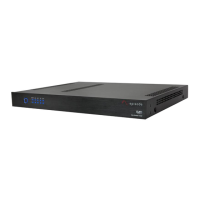



 To Next Page
 General