11Setting up your computer
Setting up your computer
Changing the audio settings
Your computer usually changes the Audio settings automatically if you connect new
devices�
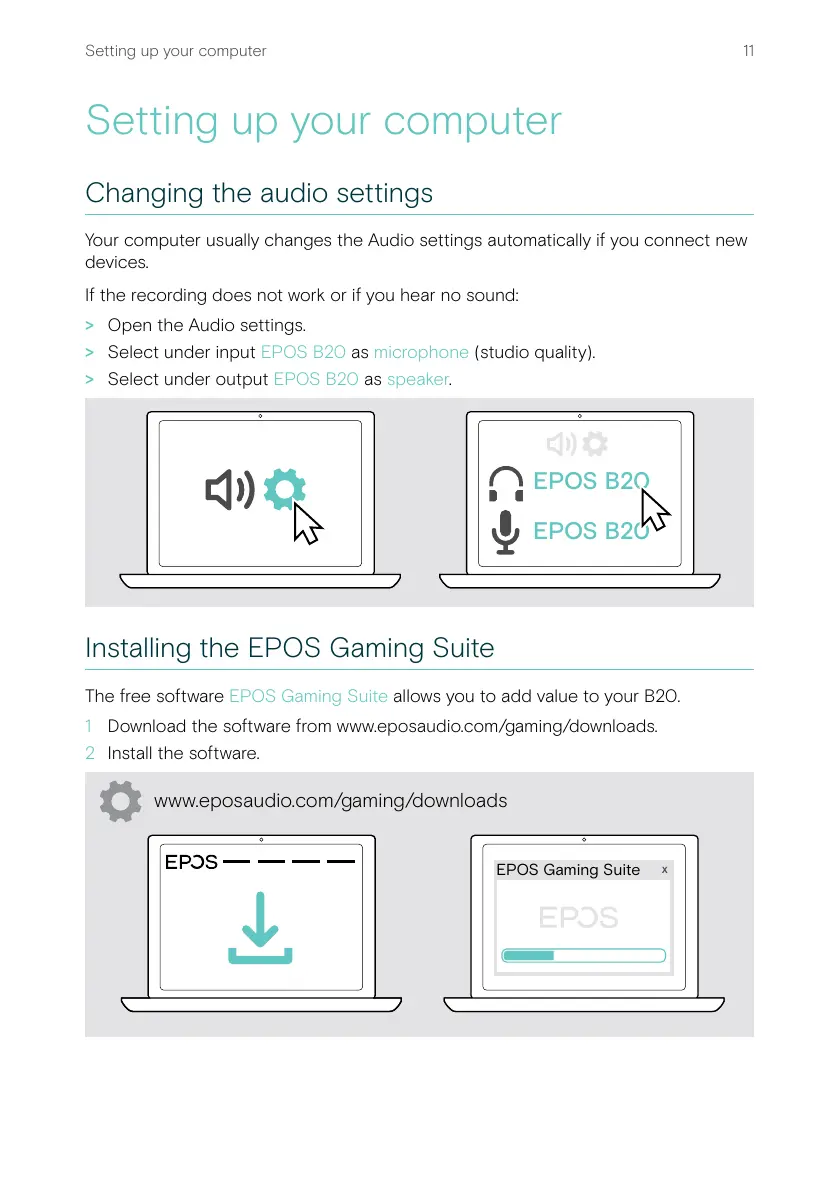
If the recording does not work or if you hear no sound:
> Open the Audio settings�
> Select under input EPOS B20 as microphone (studio quality)�
> Select under output EPOS B20 as speaker�
EPOS B20
EPOS B20
Installing the EPOS Gaming Suite
The free software EPOS Gaming Suite allows you to add value to your B20�
1 Download the software from www�eposaudio�com/gaming/downloads�
2 Install the software�
x
EPOS Gaming Suite
www.eposaudio.com/gaming/downloads


 To Next Page