16Using the B20
Adjusting the listening volume
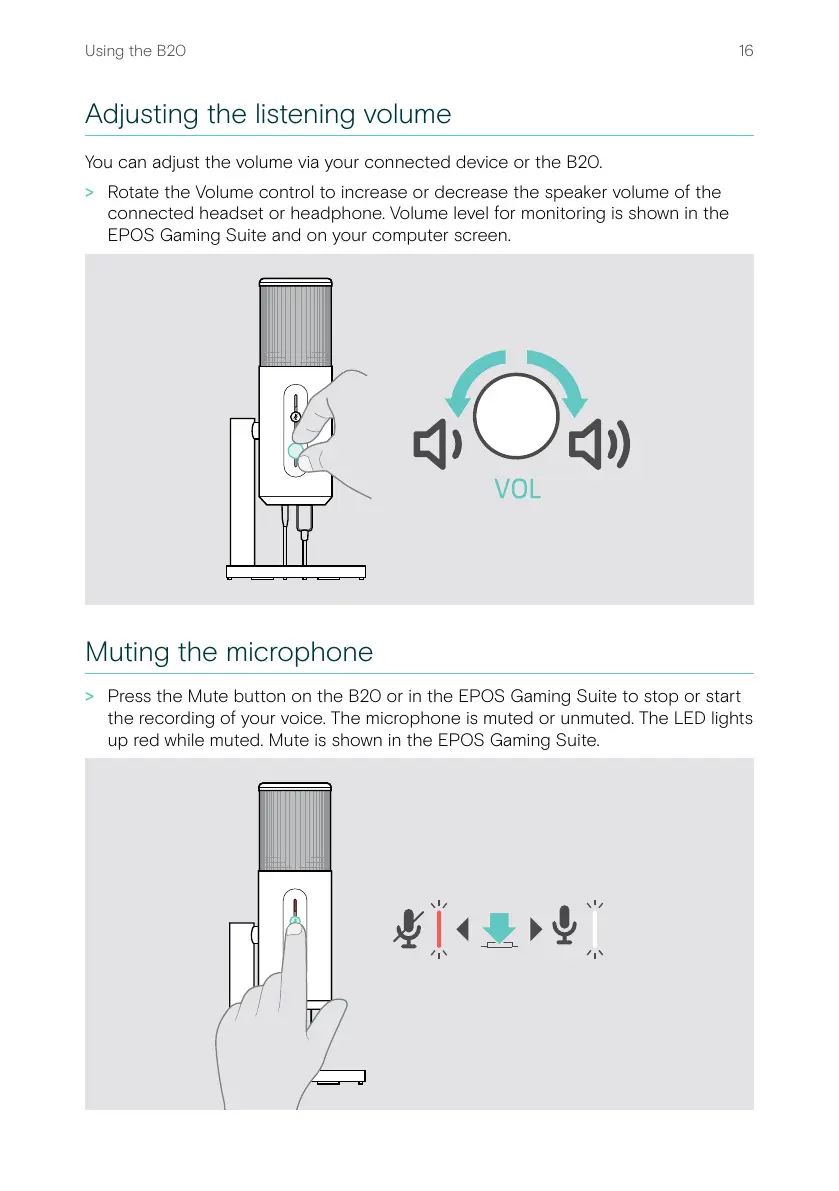
You can adjust the volume via your connected device or the B20�
> Rotate the Volume control to increase or decrease the speaker volume of the
connected headset or headphone� Volume level for monitoring is shown in the
EPOS Gaming Suite and on your computer screen�
Muting the microphone
> Press the Mute button on the B20 or in the EPOS Gaming Suite to stop or start
the recording of your voice� The microphone is muted or unmuted� The LED lights
up red while muted� Mute is shown in the EPOS Gaming Suite�


 To Next Page