7Connecting your devices
Connecting your devices
You can connect your B20 microphone either to your computer or your
PlayStation PS4™� With an additional headphone or headset you can monitor your
recording�
Connecting to a computer
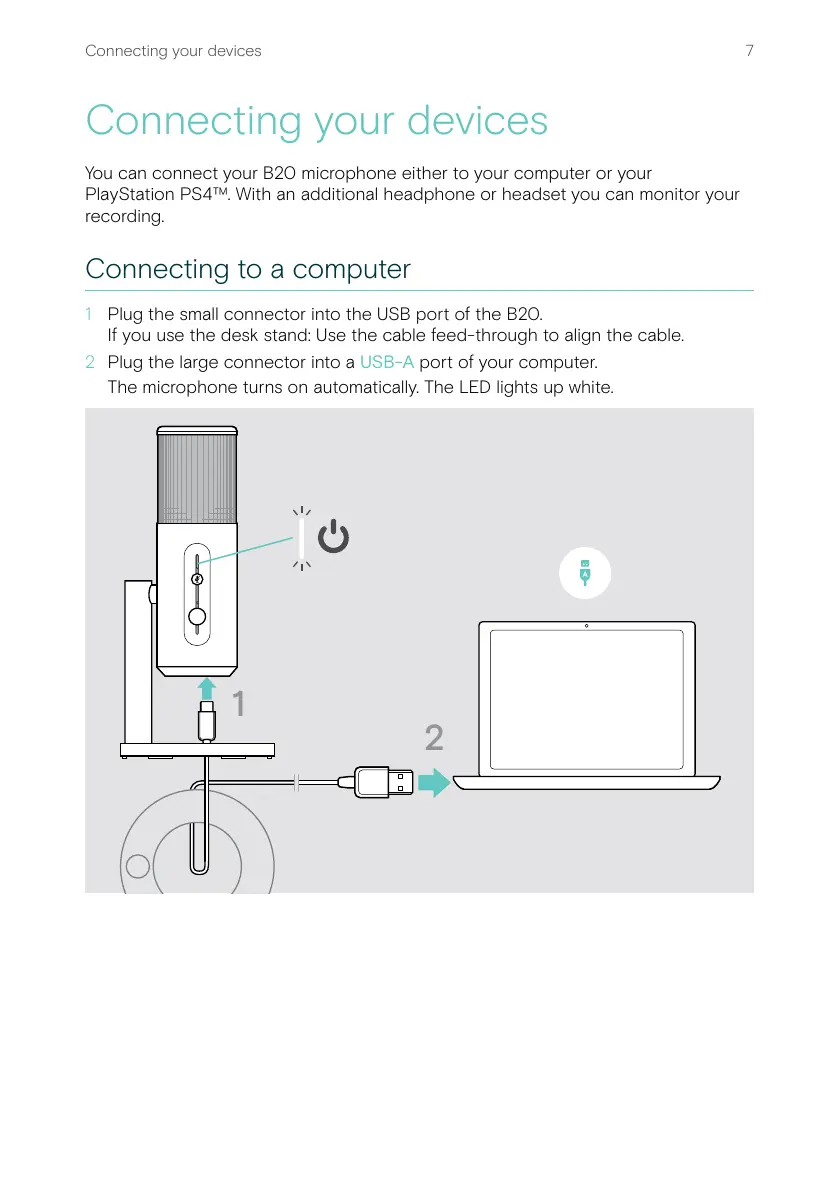
1 Plug the small connector into the USB port of the B20�
If you use the desk stand: Use the cable feed-through to align the cable�
2 Plug the large connector into a USB-A port of your computer�
The microphone turns on automatically� The LED lights up white�
1
2


 To Next Page