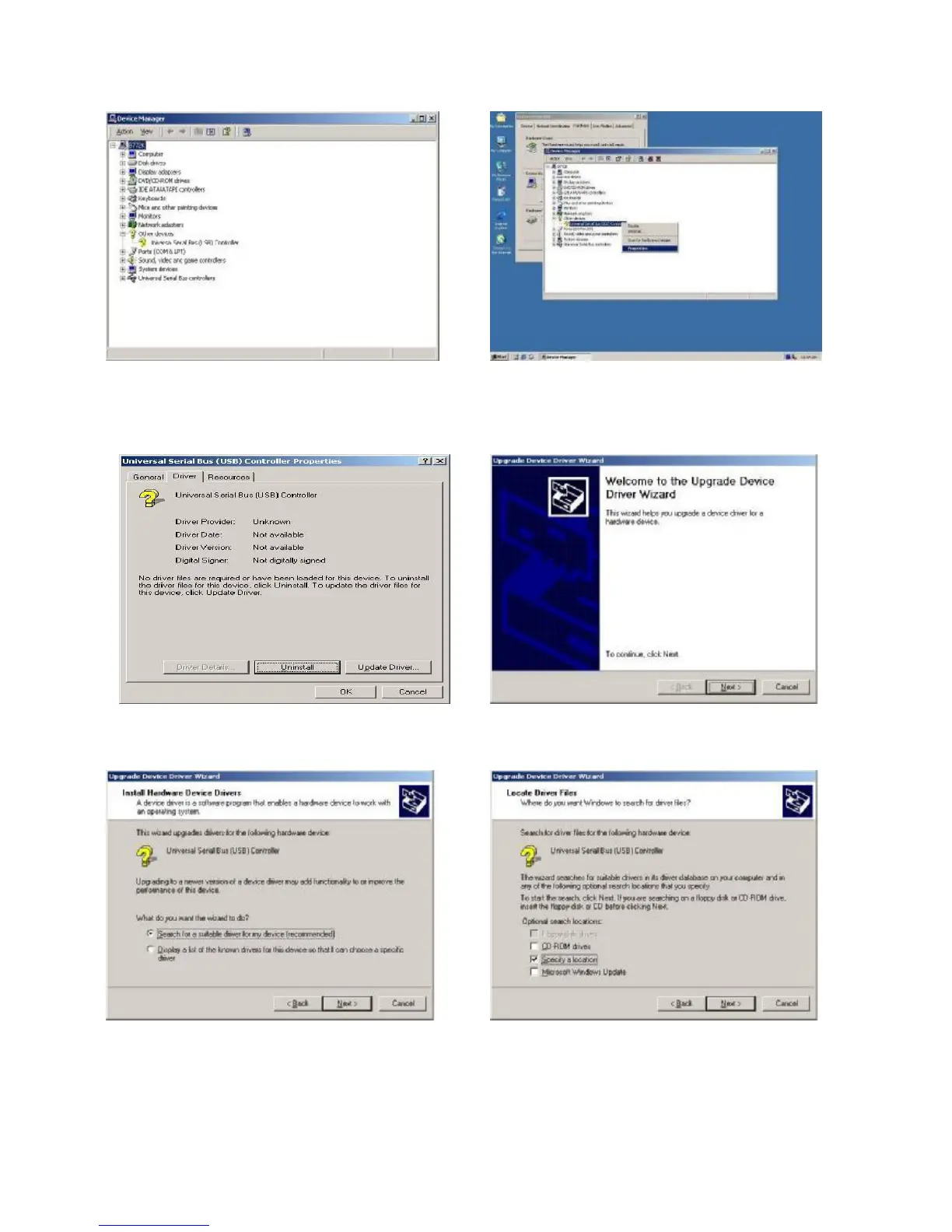
c. Select ”Other Devices” à “Universal Serial Bus (USB) Controller” à”Properties” in the
Device Manager.
d. Select “Device”à “Update Driver…” e. Click the “Next” button on the “Welcome”
window.
f. Select “Search for a suitable…”and click
the “Next” button on the “Install Hardware
Device Drivers” window.
g. Select “Specify a location” and click the
“Next” button on the “Locate Driver Files”
window.


 To Next Page