Page 31
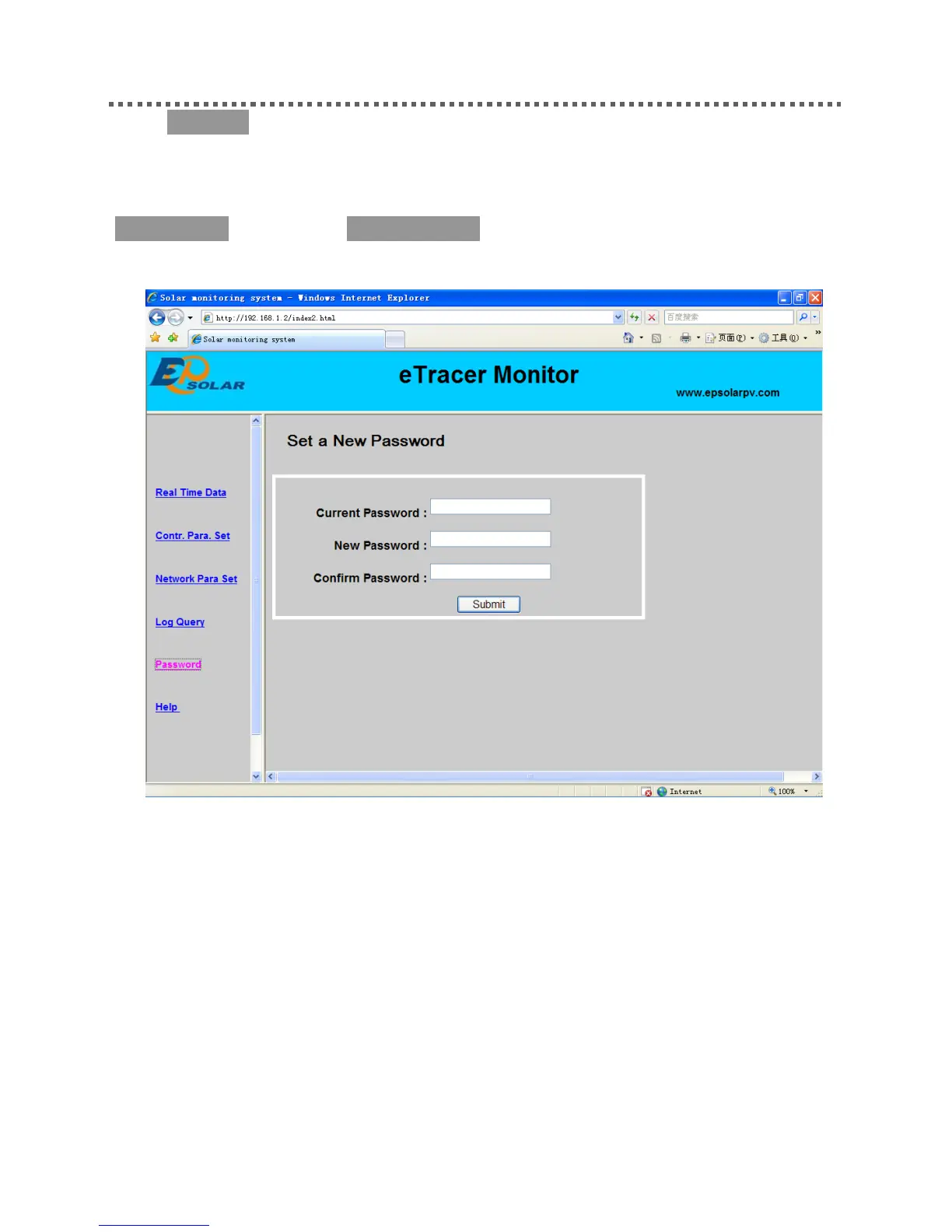
6) Password
Click ‘Password’ on the left side to enter password modification page. After enter the
current and new passwords, the system will judge if the old password is right and if
the new passwords entered twice is the same. If it is right, the system will present
‘Save Success’, otherwise, ‘Password Error’ will appear.
Notes: The input only supports numbers 0-9.
6) Help




 To Next Page