Page 33
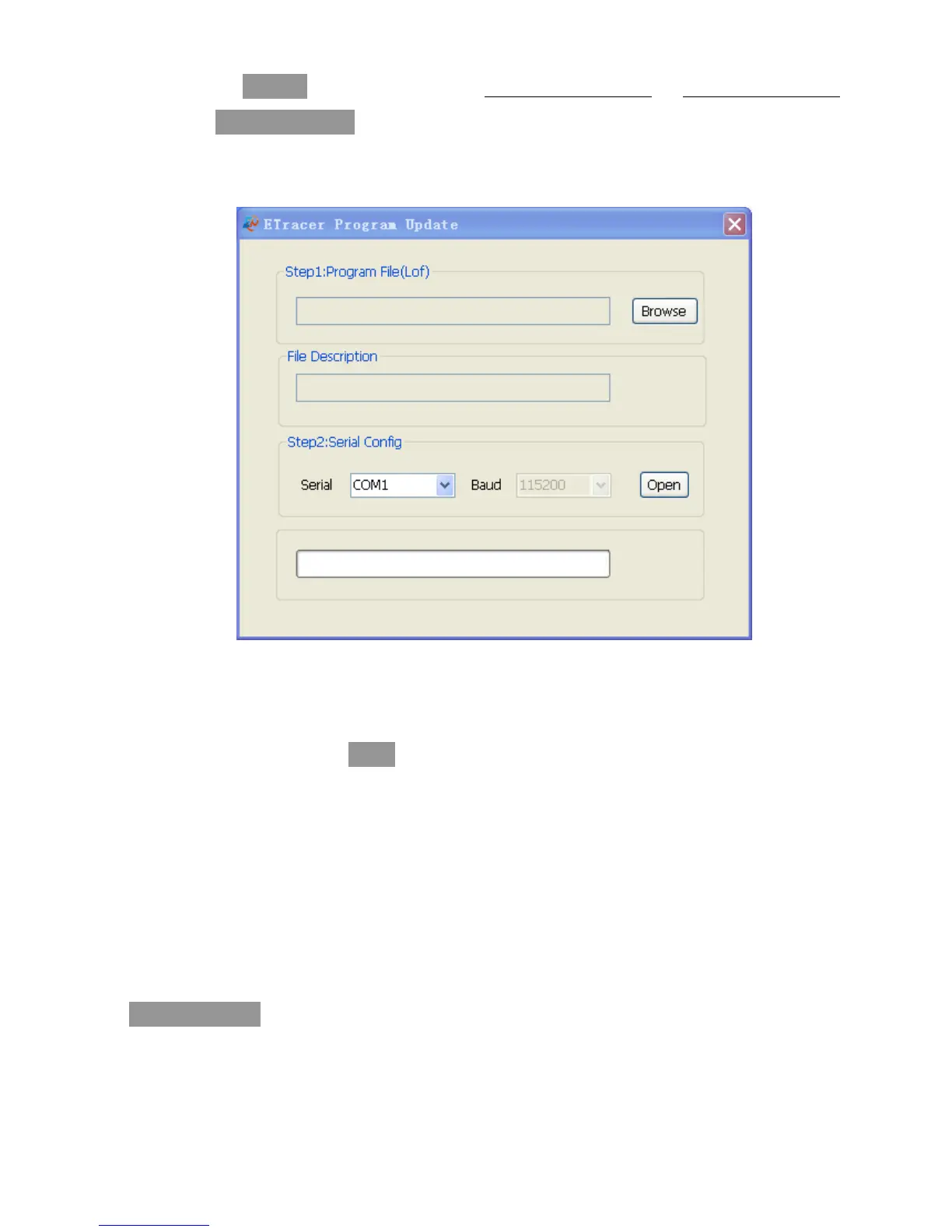
Step3. Click ‘Browse’ and choose the file Display-Verx.x. lof or Charge-Verx.x. lof.
On ‘File Description’ bar, the basic information about the chosen file will be
displayed.
When update both, there is no particular order.
Step4. Choose the PC communication serial that connect to the controller. Default
‘Baud’ is 115200bps.
Step5. Click the button ‘Open’.
Step6. Power-on the controller. Updating progress will start and the progress bar
displays the percentage. When the progress bar come to end, there will display
‘Program Update Finished’, then disconnect the controller from PC and power off.
Step7. Restart the controller after updating.
Notes: In the period of updating, if power down or disconnected, it will prompt
‘Connect time out’, redo above step.



 To Next Page