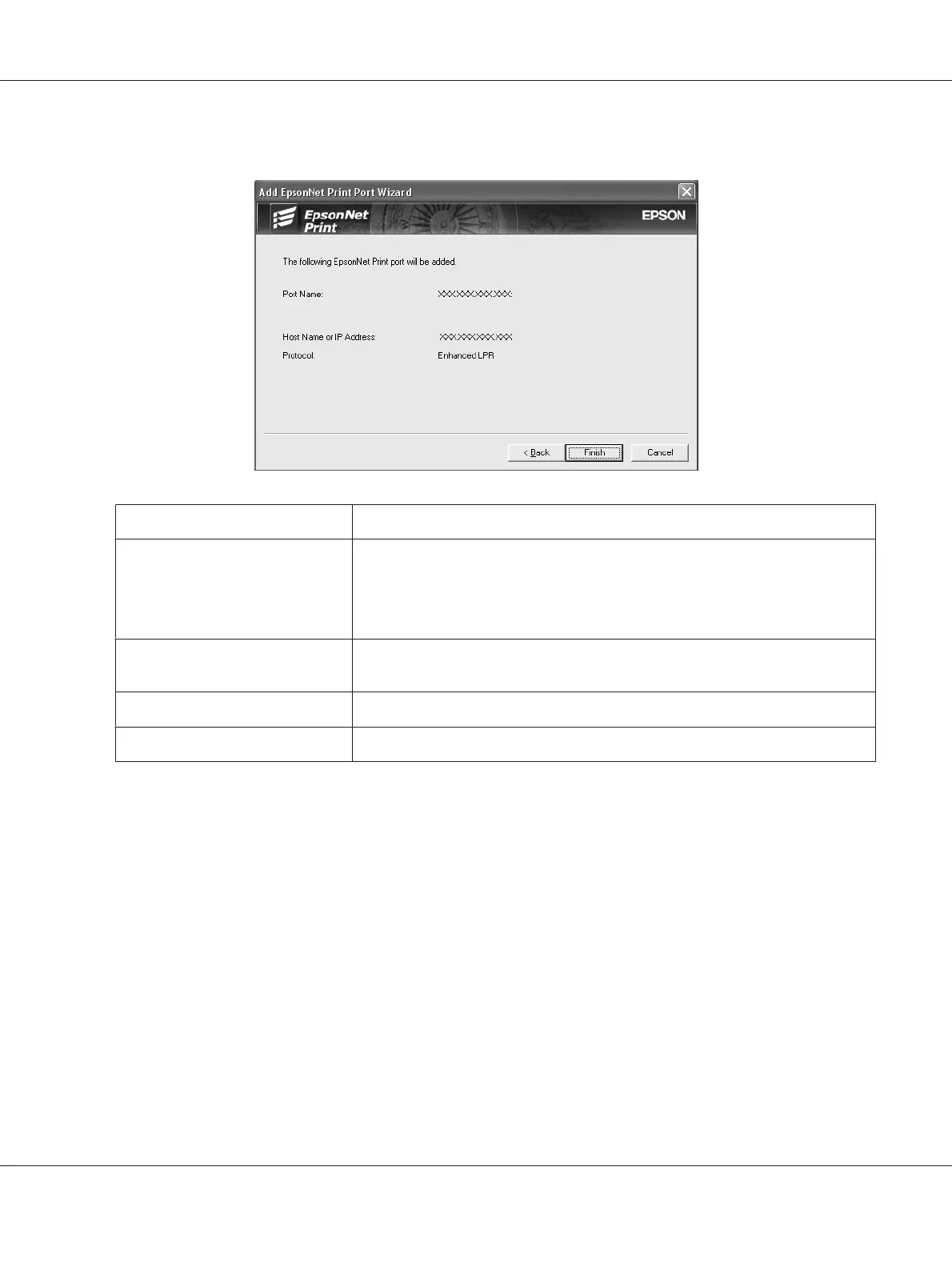
6. Confirm the information about the printer’s port you want to configure, and then click Finish.
Items Explanations
The port Information The following items are displayed:
- Port Name
- Host Name or IP Address
- Protocol
Finish button Register the port information to the system and close the Add EpsonNet Print
Port Wizard.
Back button Go back to the printer list window.
Cancel button Close the Add EpsonNet Print Port Wizard.
Configuring the Printer Port
Follow the steps below to configure the printer port. The printing speed differs depending on your
selection.
1. For Windows Vista/Server 2008:
Click Start, Control Panel, and then Printers.
For Windows XP/Server 2003:
Click Start and then Printers and Faxes.
For Windows Me/98/95/2000/NT 4.0:
Click Start, point to Settings, and then select Printers.
EPSON Network Guide
Network Software 112



 To Next Page