3. From the Print Server list, select the print server name that you just typed and press Enter.
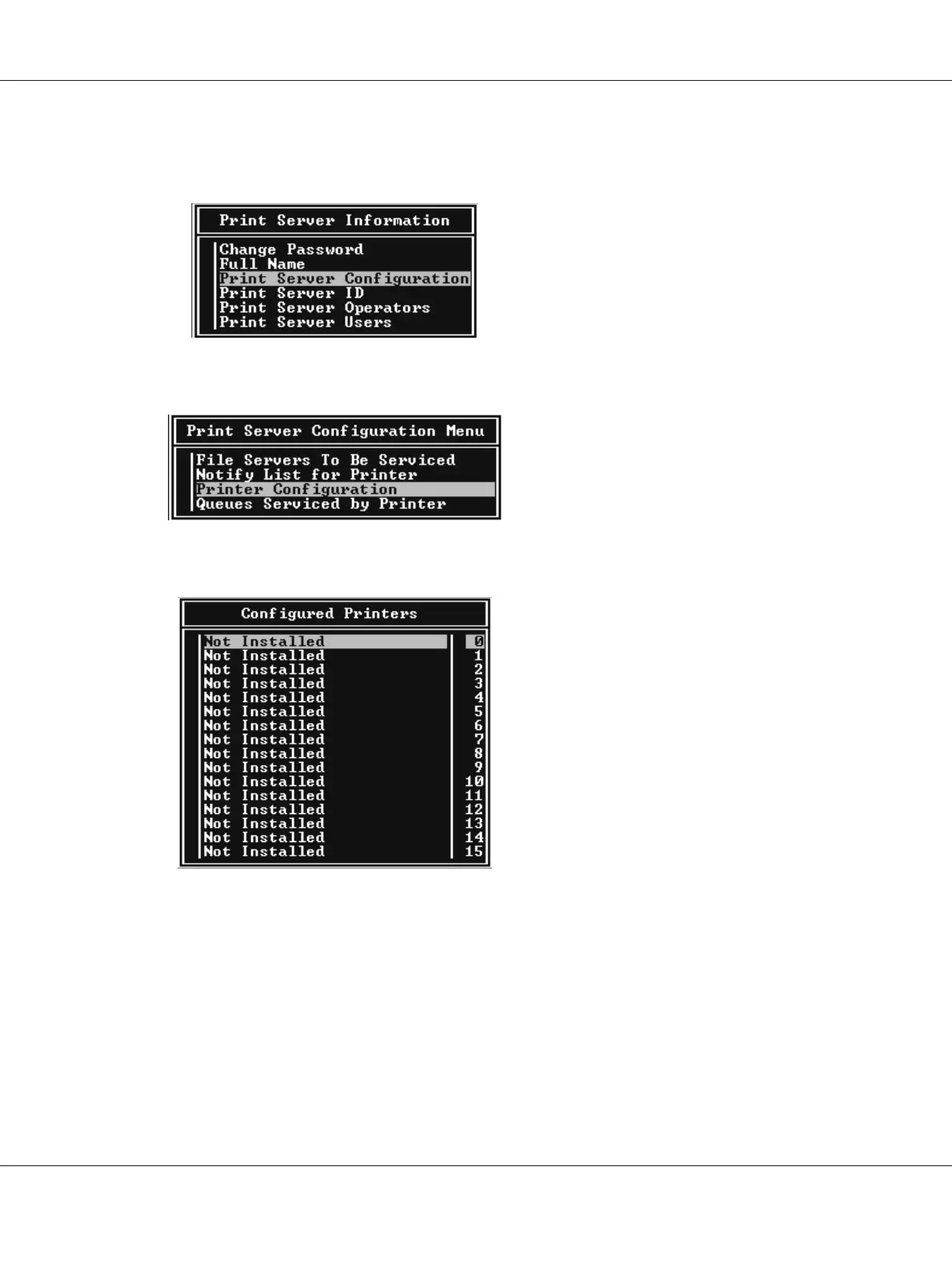
From the Print Server Information list, select Print Server Configuration and press Enter.
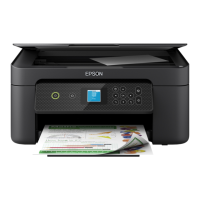
4. Select Printer Configuration from the Print Server Configuration Menu and press Enter.
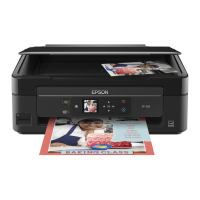
5. From the Configured Printers list, select Not Installed (port number = 0) and press Enter.
EPSON Network Guide
How To 77



 To Next Page