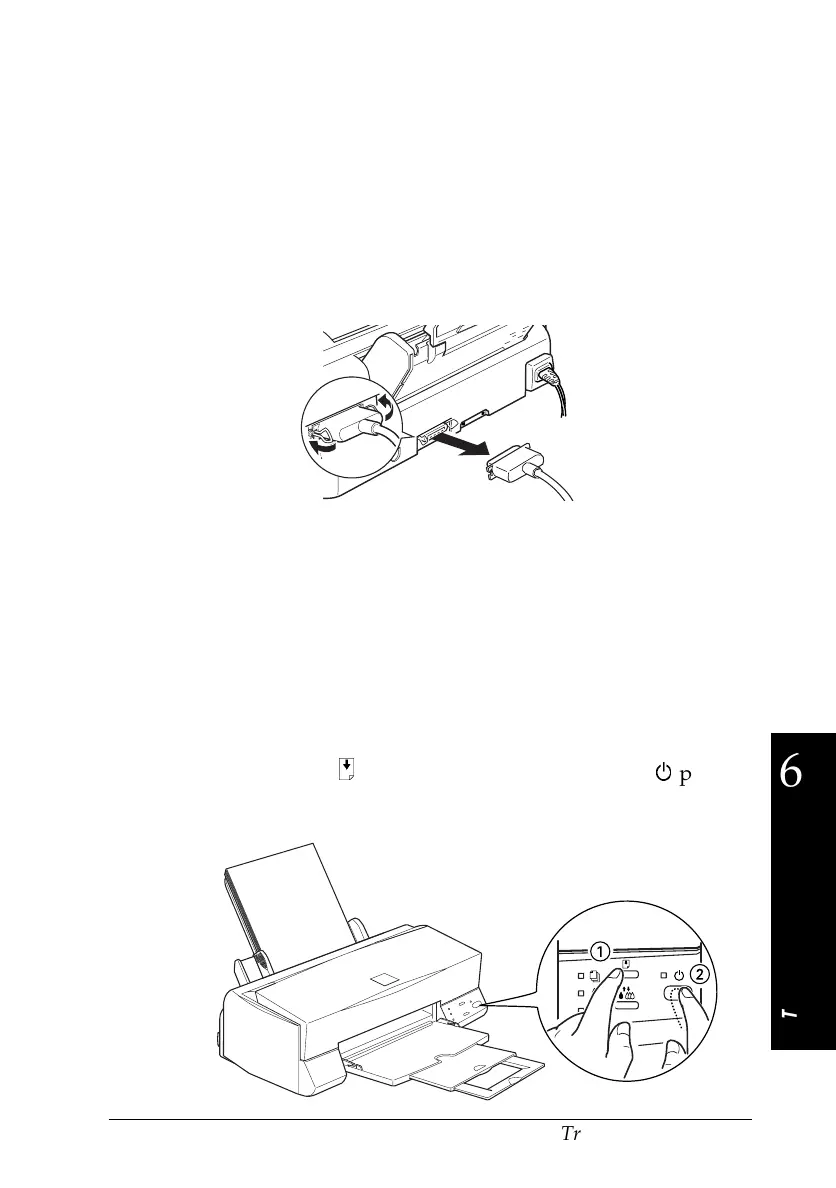
To perform a printer operation check, follow these steps:
1. Make sure both the printer and computer are turned off.
2. Unlock the wire clips on both sides of the interface connector
and remove the ground connector, if necessary. Then
disconnect the cable from the printer’s interface connector.
3. Make sure that paper is loaded in the sheet feeder.
c
Caution:
Use paper at least 182 mm (7.17 inches) wide; for
example, B5 size paper loaded short edge first. Otherwise,
the print head will spray ink directly onto the platen
during the self test and smear any documents you print
afterwards.
4. Hold down the
E
load/eject button and press the
P
power
button to turn on the printer. Then release both buttons.
31a-e
15
6
Troubleshooting
R
Hawaii2 Ref. Guide
Rev.b
A5 size Chapter 6
06-02-97 DR, pass 0
Troubleshooting
6-5












 To Next Page