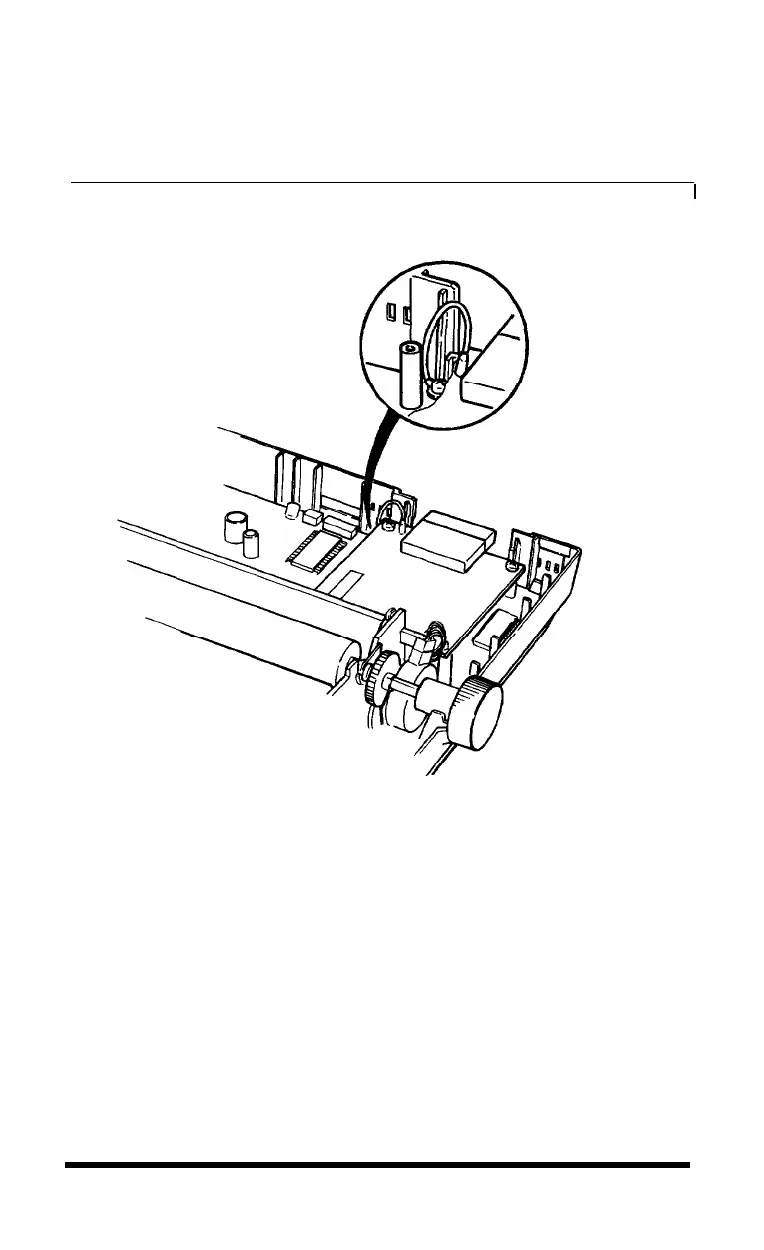
5. Connect the frame ground wire to the FG terminal tag on the
interface board, as shown in Figure E-6.
Figure
E-6.
Connecting ground wire to
FG
terminal tag
6. Reassemble the printer, reversing the procedure described in steps 2
through 7 in the previous section.
Choosing and Setting Up Optional Interfaces
E-7








 To Next Page