108
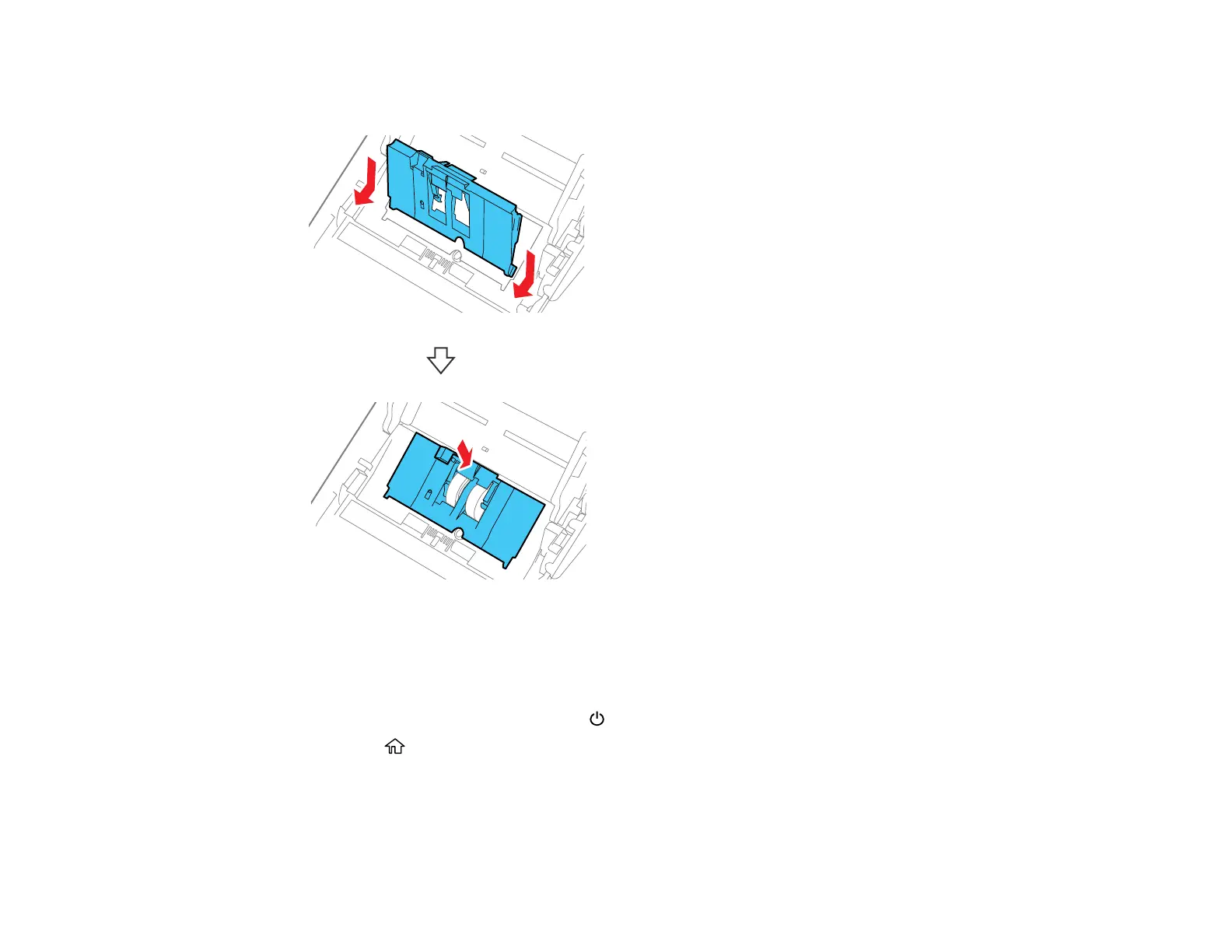
17. Align the bottom edge of the pickup roller cover into the notches as shown and press it down until it
clicks into place.
Note: If you are not able to close the cover, the roller is not installed correctly. Remove the roller unit
and reinstall it, then try to close the cover again.
18. Close the scanner cover.
19. Plug in the AC adapter and press the power button to turn on the scanner.
20. Press the home button, if necessary.
21. Use the arrow buttons to select Scanner Maintenance and press OK.
22. Press OK to select Roller Cleaning.








 To Next Page