109
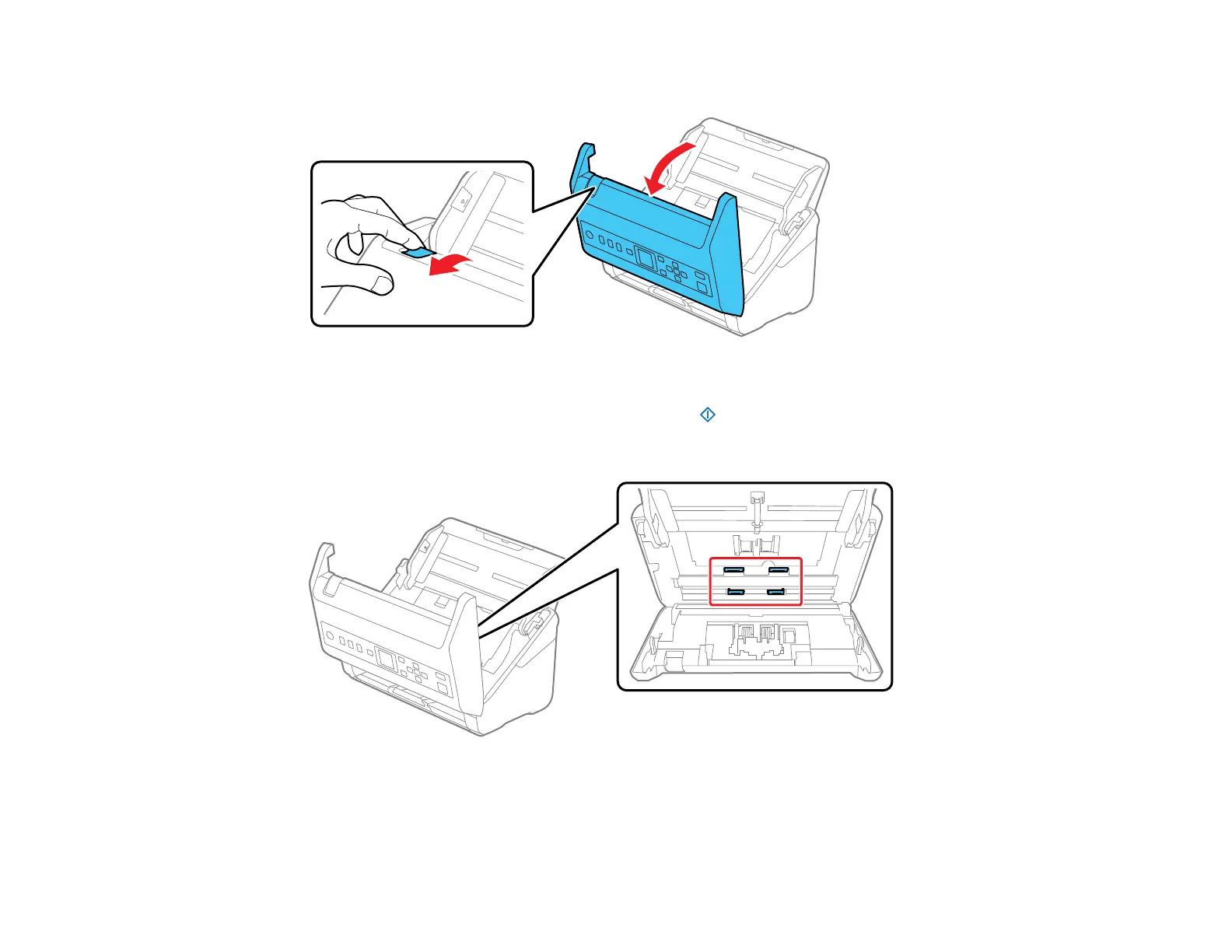
23. Pull down on the cover open lever and open the scanner cover.
The scanner enters roller cleaning mode.
24. Slowly rotate the rollers shown here by pressing the start button. Use a genuine Epson cleaning
kit or a soft, moist cloth to wipe off any dust or dirt on the rollers as they rotate. Repeat this step until
the rollers are clean.
Caution: Be careful not to get your hands or hair caught in the rollers as they rotate.








 To Next Page