EasyManua.ls Logo

Epson CBB - User Manual

Epson CBB
84 pages
Print Icon
To Next Page IconTo Next Page
Loading...
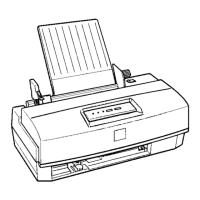
EPSON TERMINAL PRINTER
EPSON/Stylus Color 200
EPSON/Stylus 200
SERVICE MANUAL
EPSON
Rev.A
4006645

Table of Contents

Questions and Answers

  • A
    Amanda CervantesAug 13, 2025
    What to do if my Epson Printer does not operate at all?
    • R
      rodriguezclaudiaAug 13, 2025
      If your Epson printer does not operate at all, it could be due to several reasons: * F1 is open: Replace F1. * T1 is open: Replace T1. * Q1 is broken: Replace Q1. * Q2 or Q3 is broken: Replace Q2 or Q3. * PC1 is broken: Replace PC1. * +5V is dead: Replace IC51.
  • J
    Justin MendozaAug 16, 2025
    What to do if Epson Printer does not operate at all?
    • A
      Aaron AndersonAug 16, 2025
      If your Epson printer does not operate at all, the cause could be: * CPU does not operate: Replace IC13. * CRU1 or IC2 is defective: Replace IC2. * Gate array does not operate: Replace IC1. * OE signal does not output: Replace IC1.
  • K
    kingtimothyAug 20, 2025
    What to do if self-test printing of Epson Printer is not normal?
    • A
      Ashley ComptonAug 20, 2025
      If the self-test printing on your Epson printer is not normal, it could be due to: * Gate array does not operate: Replace IC1. * Common driver circuit does not operate: Replace a defective element.
  • K
    Kevin PughAug 25, 2025
    Why does the carriage motor of my Epson CBB not rotate?
    • F
      fdiazAug 25, 2025
      If the carriage motor in your Epson printer does not rotate, it could be due to the following reasons: * The carriage motor fails to rotate at power on: Remove any foreign substances. * CRHP sensor is defective: Replace CRHP. * The carriage motor is defective: Replace the carriage motor.
  • R
    Regina MillerAug 27, 2025
    What to do if the pump mechanism of my Epson Printer does not operate?
    • D
      Dr. Tiffany RodriguezAug 27, 2025
      If the pump mechanism in your Epson printer does not operate, consider the following possible causes and solutions: * PF motor is defective: Remove any foreign substance. * Carriage flag is defective: Replace the carriage unit. * The tube is not properly connected to the cap: Insert the tube properly. * The ink tube is damaged: Replace the tube. * The cap is defective: Replace the head cap. * The pump is defective: Replace the pump unit. * The printhead is defective: Replace the printhead.
  • E
    edward34Sep 1, 2025
    What to do if the carriage of Epson CBB does not operate normally at power on?
    • J
      Jennifer DunnSep 1, 2025
      If the carriage on your Epson printer does not operate normally at power on: * The carriage motor rotates, but the carriage does not move: Replace the driven pulley. * The timing belt is defective: Reinsert the timing belt. * Carriage movement is not smooth: Clean and lubricate the carriage.
  • V
    vsmithSep 4, 2025
    What to do if carriage of Epson CBB Printer does not operate normally?
    • R
      Ruth FullerSep 4, 2025
      If the carriage of your Epson printer does not operate normally, it could be due to: * Drive pulse does not output: Replace CPU. * IC12 is defective: Replace IC12.
  • A
    angela78Sep 7, 2025
    What to do if PF motor of Epson Printer does not operate normally?
    • W
      William MccannSep 8, 2025
      If the PF motor of your Epson printer does not operate normally, it may be because: * Drive pulse does not output: Replace CPU. * IC16 is defective: Replace IC12.

Summary

NOTICE

PRECAUTIONS

PREFACE

Chapter 1 Product Description

Provides a general overview, specifications, and main components of the printer.

Chapter 2 Operating Principles

Describes the theory of printer operation.

Chapter 3 Disassembly and Assembly

Step-by-step guide for product disassembly and assembly procedures.

Chapter 4 Adjustment

Step-by-step guide for performing printer adjustments.

Chapter 5 Troubleshooting

Provides Epson-approved techniques for troubleshooting printer issues.

Chapter 6 Maintenance

Describes preventive maintenance techniques and lists required lubricants.

Appendix

Contains connector assignments, circuit diagrams, and exploded diagrams.

Chapter 1 Product Description

1.1 Features

Details the key features of the Epson Stylus Color 200/200 printers.

1.2 Specifications

Provides detailed statistics and technical information for the printer.

1.3 Interface Specifications

Describes the parallel and serial interface capabilities of the printer.

1.4 Operations

Explains the basic operations and control panel functions of the printer.

1.5 Main Components

Lists and describes the primary internal components of the printer.

1.3 Interface Specifications

1.3.1 Parallel Interface Specifications (Forward Channel)

Details the forward channel specifications for the 8-bit parallel interface.

1.3.2 Parallel Interface (Reverse channel)

Details the reverse channel specifications for the 8-bit parallel interface.

1.4 Operations

1.4.1 Control Panel

Describes the appearance and function of the printer's control panel.

1.4.2 Panel Operation and Built-in Function

Explains how to activate printer modes using panel buttons.

1.4.3 Default Settings

Covers saving and changing printer settings at initialization.

1.4.4 Error Conditions

Explains how the printer detects and indicates errors using LEDs.

1.4.5 Printer Initialization

Details the methods for initializing the printer's operations.

1.5 Main Components

1.5.1 Main Control Board (C199 MAIN Board)

Describes the main control board, its CPU, and connected components.

1.5.2 Power Supply Board (C160 PSB;PSE Board)

Details the power supply board and its switching regulator circuit.

1.5.3 Interface Board (C160 I;F Board)

Explains the interface board for data transmission between computer and printer.

1.5.4 Printer Mechanism (M-4 C11)

Describes the printer mechanism with printheads and printing capabilities.

1.5.5 Housing

Details the printer's outer casing and its attached supports.

Chapter 2 Operating Principles

2.1 Overview

Provides an overview of the printer's electrical circuitry differences.

2.1.1 C199 Main Board

Details the block diagram of the C199 main board circuitry.

Carriage Motor Driver Circuit

Explains the carriage motor driver circuit and its control signals.

Chapter 3 Disassembly and Assembly

3.1 Overview of Disassembly

Describes disassembly procedures and general precautions for the printer.

3.2 Disassembly and Assembly Procedures

Provides detailed steps for disassembling major printer components.

3.2 Disassembly and Assembly Procedures

3.2.1 Upper Case Removal

Step-by-step instructions for removing the printer's upper case.

3.2.2 C199 Main Control Board Removal

Procedure for removing the main control board and ASF sensor.

3.2.3 C160 I;F Board Removal

Steps to remove the C160 interface board from the printer.

3.2.4 C160 PSB;PSE Board Removal

Instructions for removing the C160 power supply board.

3.2.5 M-4 C11 Printer Mechanism Removal

Procedure for removing the main printer mechanism.

3.2.6 Printer Mechanism Disassembly

Explains how to remove components within the printer mechanism.

Chapter 4 Adjustment

4.1 Overview of Adjustments

Describes adjustments needed after printer disassembly and assembly.

4.1.1 Bi-D Alignment Adjustment

Procedure for adjusting bidirectional printing alignment for print position accuracy.

4.1.2 Head Angle Adjustment

Calibrates printhead mounting position for proper alignment.

4.1.3 Zig-Zag Adjustment

Corrects jagged vertical lines by adjusting print timing control.

4.1.4 Platen Gap Adjustment

Adjusts the distance between the printhead and paper surface.

4.1.5 EEPROM Reset Procedure

Details procedures for resetting EEPROM data for printer status.

Chapter 5 Troubleshooting

5.1 Overview of Troubleshooting

Introduces troubleshooting for unit-level and printing issues.

5.2 C160 Power Supply Board Repair

Guides repair for the power supply board with symptoms, causes, and solutions.

5.3 C199 Main Control Board Repair

Guides repair for the main control board with symptoms, causes, and solutions.

5.4 Printer Mechanism Repair

Provides troubleshooting for issues related to the printer mechanism.

5.5 Dot Missing Troubleshooting Guide

Explains how to recover clogged nozzles and resolve dot-missing issues.

Chapter 6 Maintenance

6.1 Preventive Maintenance

Covers cleaning, lubrication, and adhesive application for printer upkeep.

6.1.1 Printhead Cleaning

Details using the built-in function to clean the printhead for better print quality.

6.1.2 Waste Ink Drain Tank Replacement

Instructions for replacing the waste ink drain tank and resetting the counter.

6.1.3 Lubrication and Adhesives

Lists recommended lubricants and adhesives for printer maintenance.

Appendix

A.1 Connector Summary

Shows the interconnection of major printer components.

A.2 Circuit Diagrams

Provides circuit diagrams for the power supply boards.

A.3 Circuit Board Component Layout

Illustrates the component layout for the main control board.

A.4 Exploded Diagrams

Shows exploded views of the printer's mechanical parts.

Epson CBB Specifications

General IconGeneral
CategoryPrinter
Printer TypeInkjet
Output Paper Capacity30 sheets
Print TechnologyPiezoelectric inkjet
Paper Sizes SupportedA4
ConnectivityUSB, Wi-Fi

Related product manuals