Control Computer Features from a Projected Screen (Computer Interactive Mode)
92
Mac
OS X
• OS X 10.7.x
• OS X 10.8.x
• OS X 10.9.x
• OS X 10.10.x
• OS X 10.11.x
Ubuntu
Ubuntu
• 14.10
• 15.04
• 15.10
• 16.04 LTS
Using Computer Interactive Mode
You can control your computer programs from the projected screen using
computer interactive mode.
a
If you are using OS X, install the Easy Interactive Driver on your
computer the first time you use the interactive features.
b
Connect the projector to your computer using a USB cable.
a
• When using computer interactive mode over a network, you
do not need a USB cable.
c
Turn on the projector.
d
Project your computer screen.
e
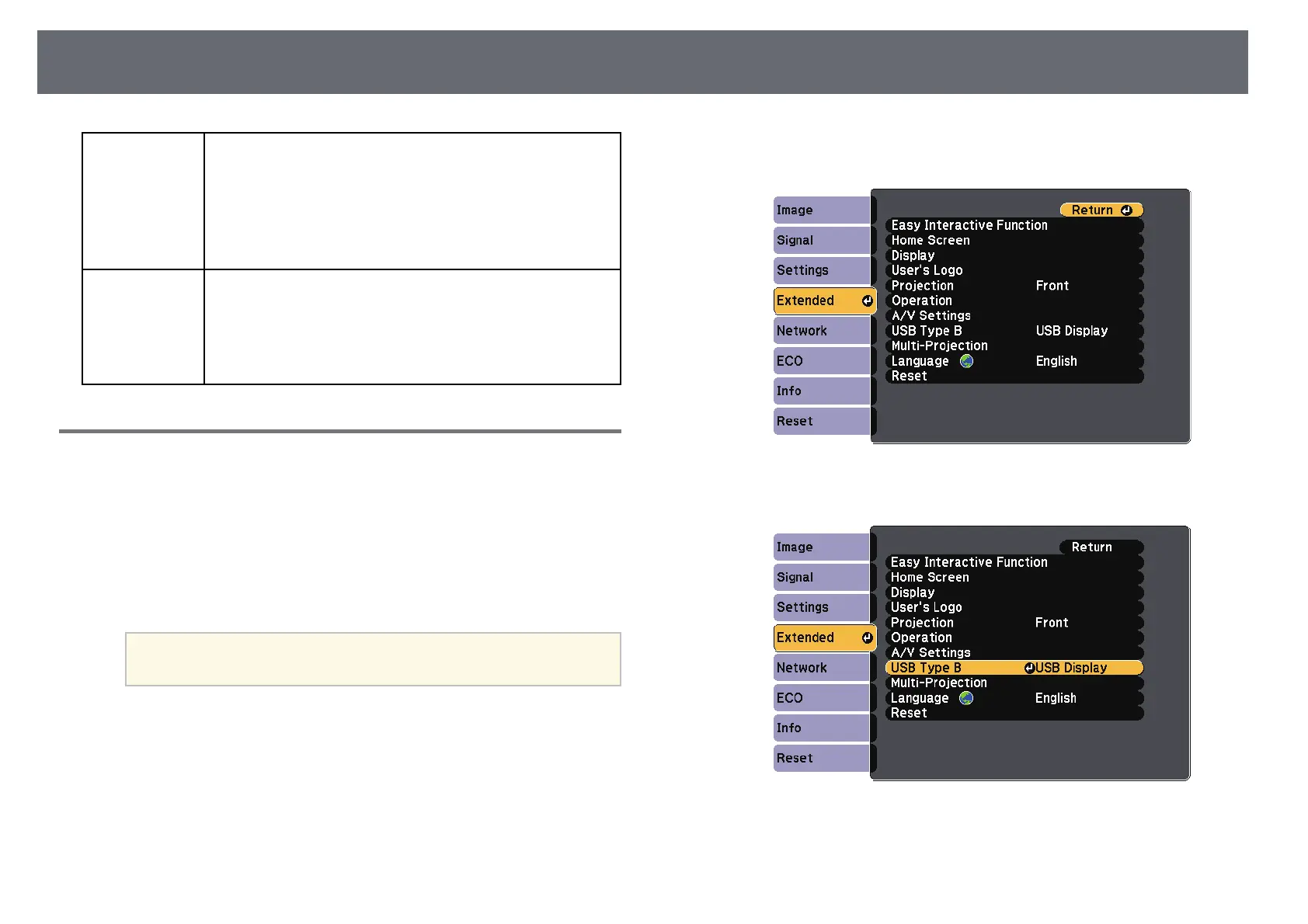
Press the [Menu] button, select the Extended menu, and then press
[Enter].
f
Select the USB Type B setting, and then press the [Enter] button.
g
Select one of the following:
• To use computer interactive mode with a computer cable, an HDMI
cable, or over a network, select Easy Interactive Function.



 To Next Page