Projector Parts and Functions
14
Name Function
D
Remote receiver Receives signals from the remote control.
E
Projection window Images are projected from here.
Warning
• Do not look into the projection window
while projecting.
• Do not place any objects or put your hand
near the projection window. It could cause
burns, fire, or the object to warp because this
area reaches a high temperature due to the
concentrated projection light.
F
Interactive pen
receiver
Receives signals from the interactive pen.
G
Control panel Operates the projector.
H
Security slot The security slot is compatible with the Microsaver
Security System manufactured by Kensington.
I
Air filter cover Open to access the air filter or focus lever.
J
Air intake vent (air
filter)
Takes in air to cool the projector internally.
K
Focus lever Adjusts the image focus.
Open the air filter cover to operate.
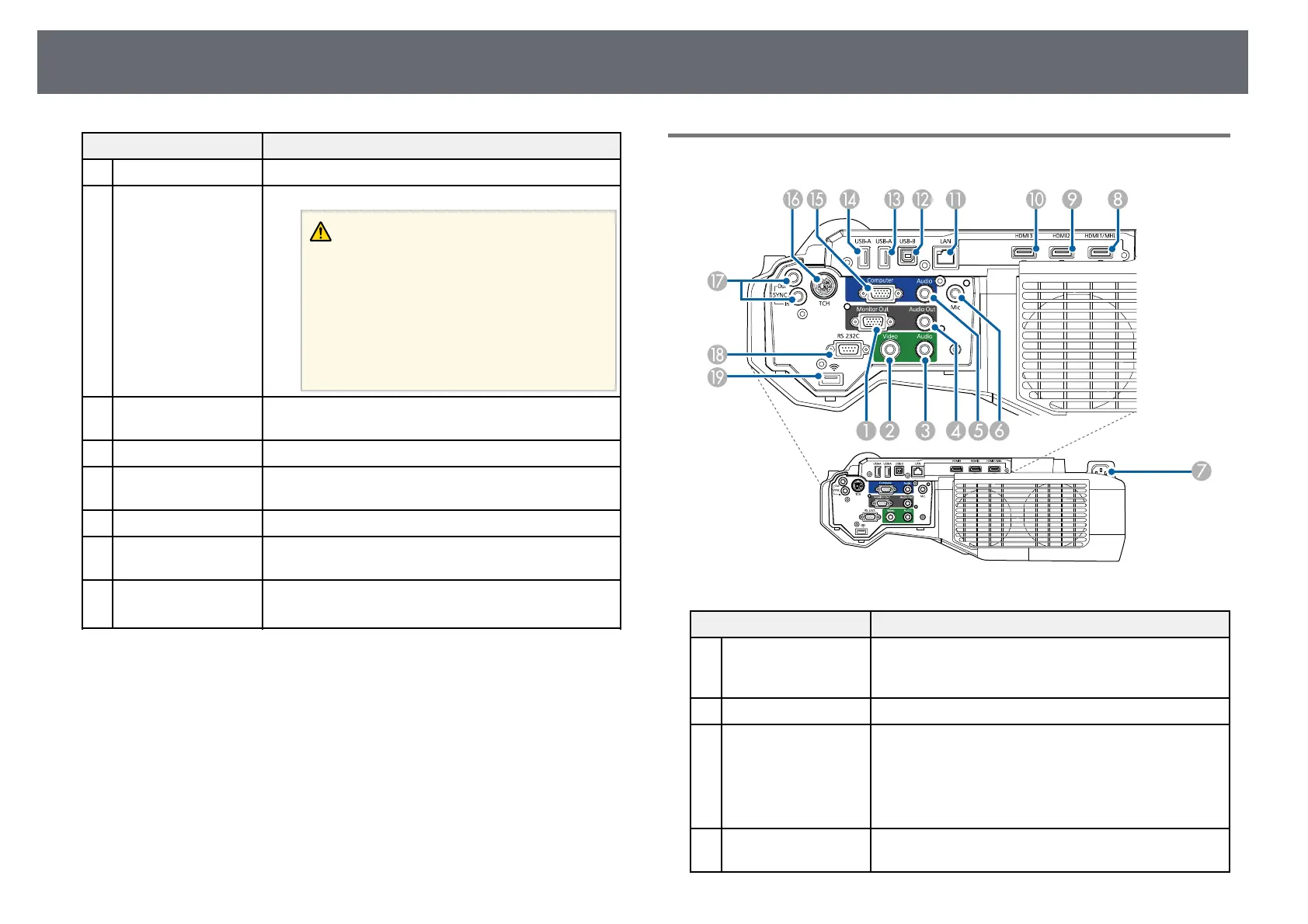
Projector Parts - Interface
Name Function
A
Monitor Out port Outputs analog RGB signals input from the Computer
port to an external monitor. You cannot output signals
input from other ports or component video signals.
B
Video port Inputs composite video signals from video sources.
C
Audio port Inputs audio from equipment connected to the Video
port.
Inputs audio from other devices when projecting
images from the device connected to the USB-A port.
From now on, referred to as the Audio 2 port.
D
Audio Out port Outputs audio from the current input source or Mic
port to an external speaker.



 To Next Page