EasyManua.ls Logo

Epson GT-2500 - User Manual

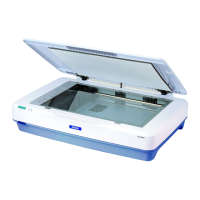
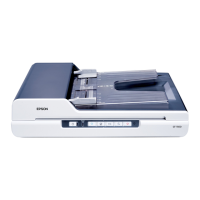
Epson GT-2500
184 pages
Print Icon
To Next Page IconTo Next Page
Loading...
User's Guide
NPD1879-00

Table of Contents

Other manuals for Epson GT-2500

Questions and Answers

  • J
    Jennifer BuchananAug 17, 2025
    How to connect Epson Scanner to computer?
    • A
      Alicia SpencerAug 17, 2025
      Ensure that the scanner software is installed correctly and the scanner is properly connected to your computer. Refer to the Start Here sheet included with your Epson Scanner for detailed instructions on software installation and scanner-to-computer connection.
  • N
    npopeAug 20, 2025
    Why Epson Scanner is not working when connected to multiple hubs?
    • T
      Tammy HarveyAug 20, 2025
      The Epson Scanner might not function correctly if it's connected to your computer through more than one hub. To resolve this, connect the scanner directly to the computer's USB port or use only one hub.
  • P
    Paul LongAug 23, 2025
    What to do if Epson GT-2500 Scanner doesn't work in sleep mode?
    • K
      Karen HansenAug 23, 2025
      If your Epson Scanner isn't working correctly when your computer is in standby (Windows) or sleep mode (Mac OS X), restart EPSON Scan and attempt the scanning process again.
  • A
    alexanderjonesAug 26, 2025
    How to set up Epson Scanner events in Windows?
    • R
      Ricky HarrisAug 26, 2025
      To configure your Windows system for Epson Scanner events: 1. Click the Events tab in your scanner's Properties window and ensure that 'Take no action' is not selected. 2. In the 'Select an event' list box, choose the desired button and make sure 'Start this program' is selected.
  • K
    Karen ClayAug 28, 2025
    How to clean Epson Scanner document table?
    • M
      Marc FoleyAug 28, 2025
      If you suspect that the document table of your Epson Scanner is dusty or scratched, clean it as described in the "Cleaning the Scanner" section.
  • S
    Shelly VargasAug 31, 2025
    How to unlock Epson GT-2500 Scanner transportation lock?
    • A
      Anthony GallegosAug 31, 2025
      To unlock the Epson Scanner's transportation lock, slide the lock to the unlock position. Consult the Start Here sheet that came with your scanner for detailed instructions.
  • D
    diana05Sep 2, 2025
    What happens if I use a different USB cable with my Epson GT-2500 Scanner?
    • J
      James HarperSep 2, 2025
      If you're experiencing issues with your Epson Scanner, especially if you're not using the original USB cable, try using the cable that came with the scanner. A different USB cable may cause system incompatibility.
  • M
    Mrs. Karen JonesSep 5, 2025
    How to ensure document lies flat on Epson GT-2500?
    • J
      Jordan LeeSep 5, 2025
      To ensure optimal scanning results with your Epson Scanner, make sure the document lies flat on the document table and is free from wrinkles or warps.
  • M
    Michelle MillerSep 8, 2025
    How to align document straight on Epson GT-2500?
    • A
      anthonycastilloSep 8, 2025
      To correctly align the document on the Epson Scanner, ensure it lies perfectly straight on the document table. Align the vertical and horizontal lines of your document with the scales at the top and side of the document table.
  • J
    John McconnellSep 12, 2025
    How to place document on Epson GT-2500 Scanner?
    • K
      Kathleen WilliamsSep 12, 2025
      When using the Epson Scanner, always place the document on the document table with the side you want to scan facing down. For more detailed instructions, refer to the section on placing originals on the document table.

Epson GT-2500 Specifications

General IconGeneral
Optical Resolution600 dpi
ADF Capacity50 sheets
InterfaceUSB 2.0
Scanner TypeFlatbed
Max Document Size8.5" x 14"
Color Depth24-bit
Grayscale Depth8-bit
Optical SensorCCD
Power Consumption (Standby)4.5 W

Videos

How to download setup software Epson GT 2500 Plus Scanner

Related product manuals