3-18
Printing Photo Directly with PC Cards
Printing Selected Photos
It is possible to select one specific photograph from the PC card
and print it out in a specified number of copies.
When you want to print with a different photo in the same PC
card continuously, see “Printing continuously different photos”
on page 3-20.
Note:
Before starting printing, put some paper and a PC card containing
digital photographs in the printer.
See “Loading Paper” on page 3-2.
See “Loading PC Cards” on page 3-10.
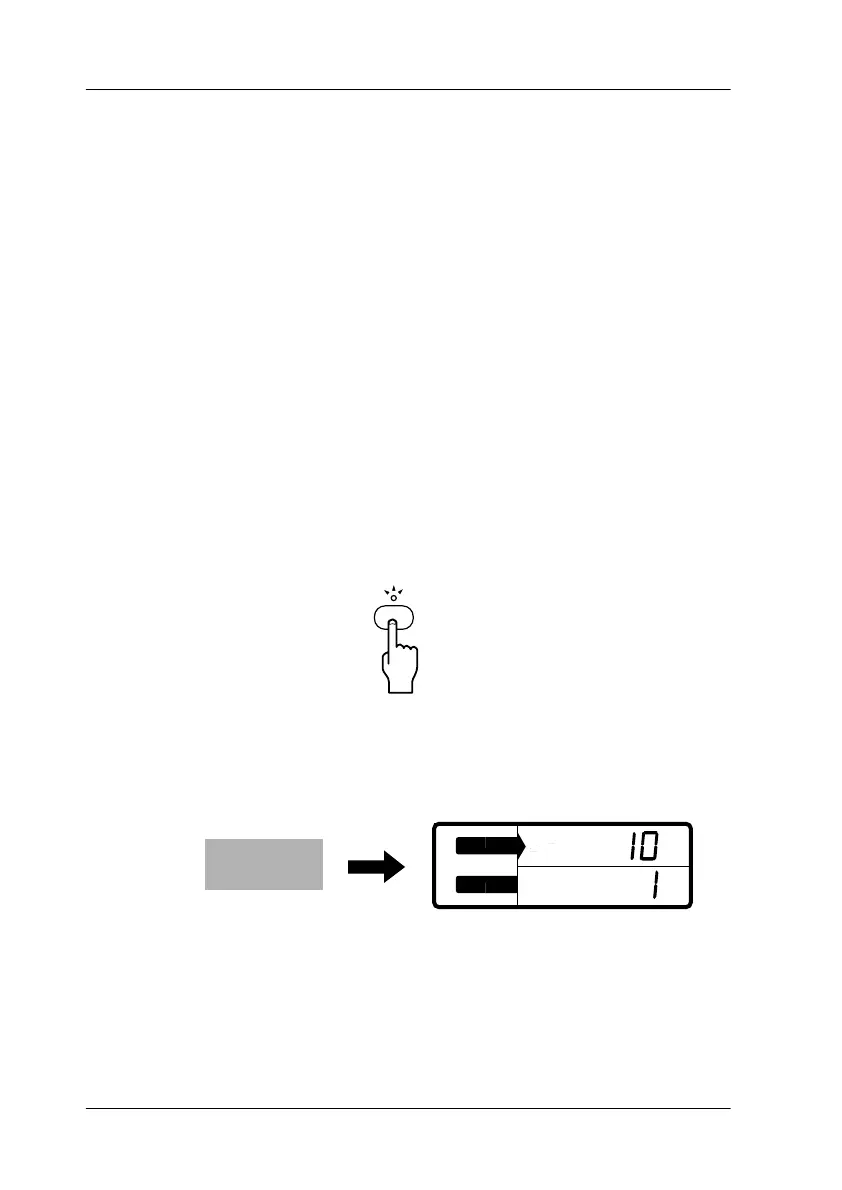
1. Press the
One
button to select the One Frame mode.
The One light turns on.
2. Press the
Change Settings
buttons to select the photo
number.
Note:
This printer sorts photos in chronological order. The photo numbers
may be different from the storage numbers in the digital camera.
Print the index in advance to see the correct photo number.
One
S
E
L
E
C
T
Photo No.
Copies
Photo No.• • •
Copies



 To Next Page