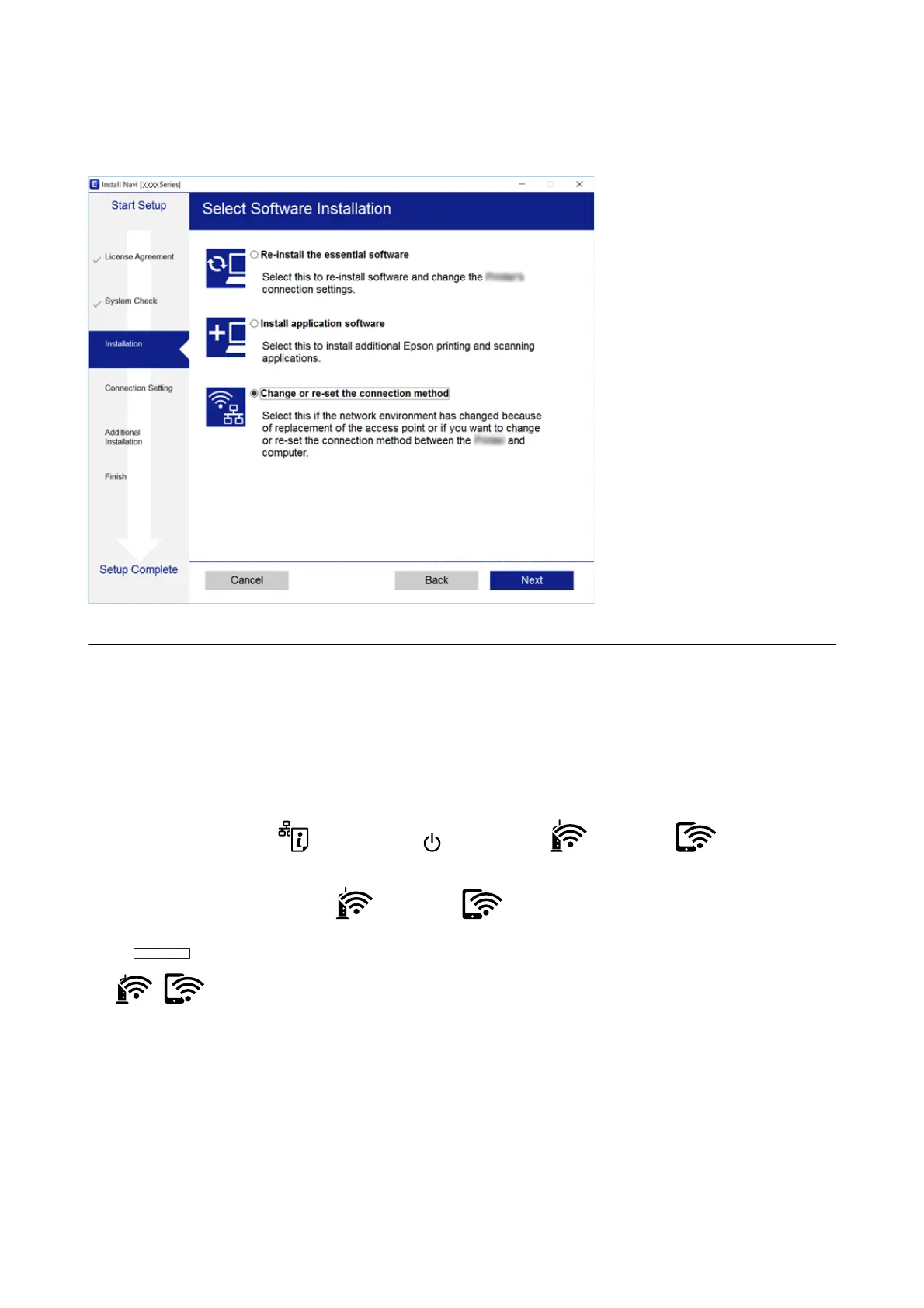
Select Change or re-set the connection method on the Select Soware Installation screen, and then click Next.
Restoring the Network Settings from the Control
Panel
You can restore all network settings to their defaults.
1.
Tur n t he printer o.
2. While holding down the
button, press the button until the light and the light
ash
alternately.
Restoration is complete when the
light and the light are o.
User's Guide
Network Settings
31



 To Next Page
 Loading...