Note:
If you cannot find the folder, search the folder for the Source, "EpsonWideCMYK", and the Target, "OnyxCMYK".
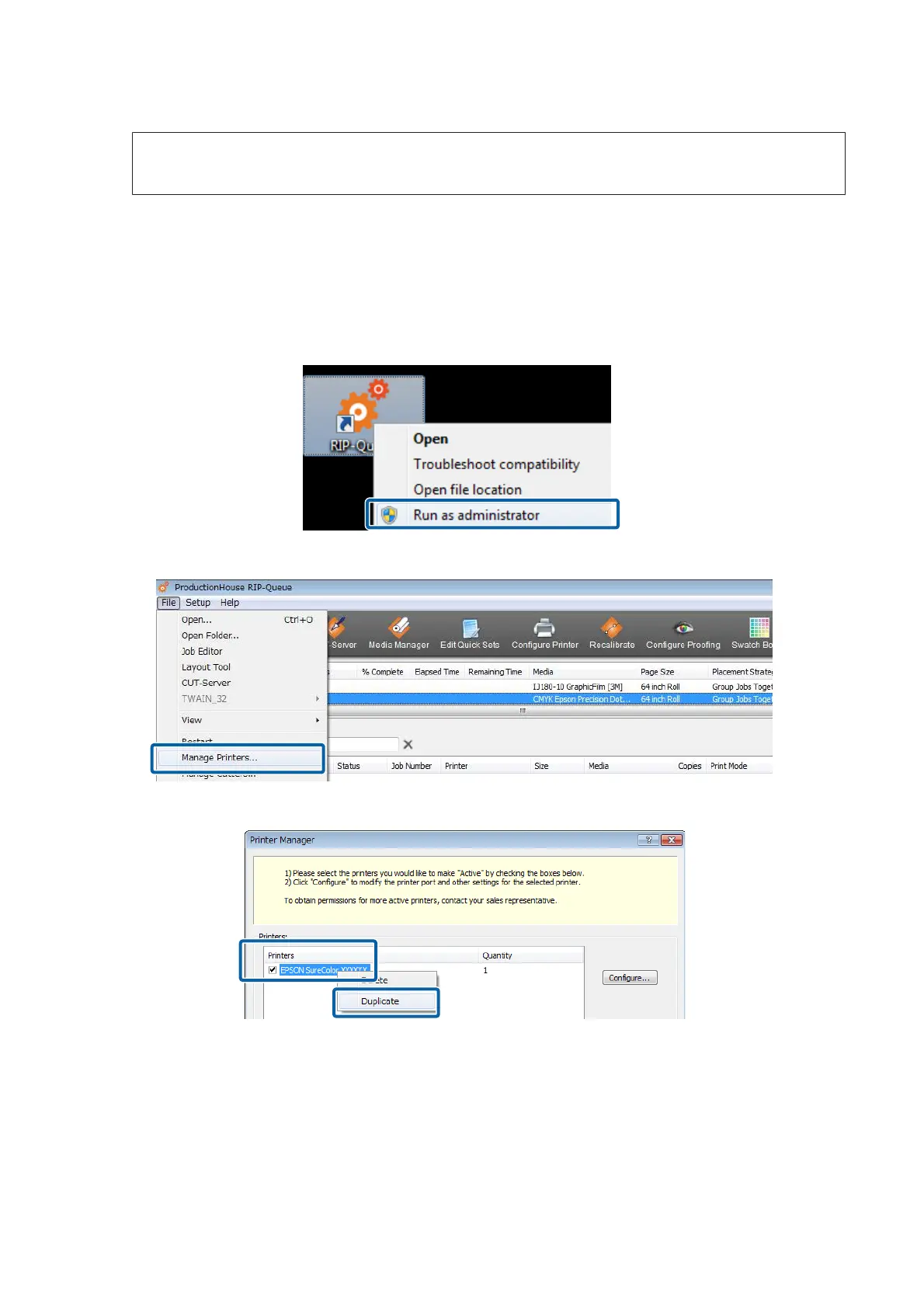
If you are using several of the same model of printer, add the printers using the following procedure.
Adding Printers
A
Right click the RIP Queue icon and select Run as administrator.
Be sure to start using administrator mode.
B
Click in the order of File - Manage Printers.
C
Select the printer you want to add, and then right click and select Duplicate.
Epson Manual for RIP Printing (ONYX RIP)
Preparations for Printing
15



 To Next Page