D
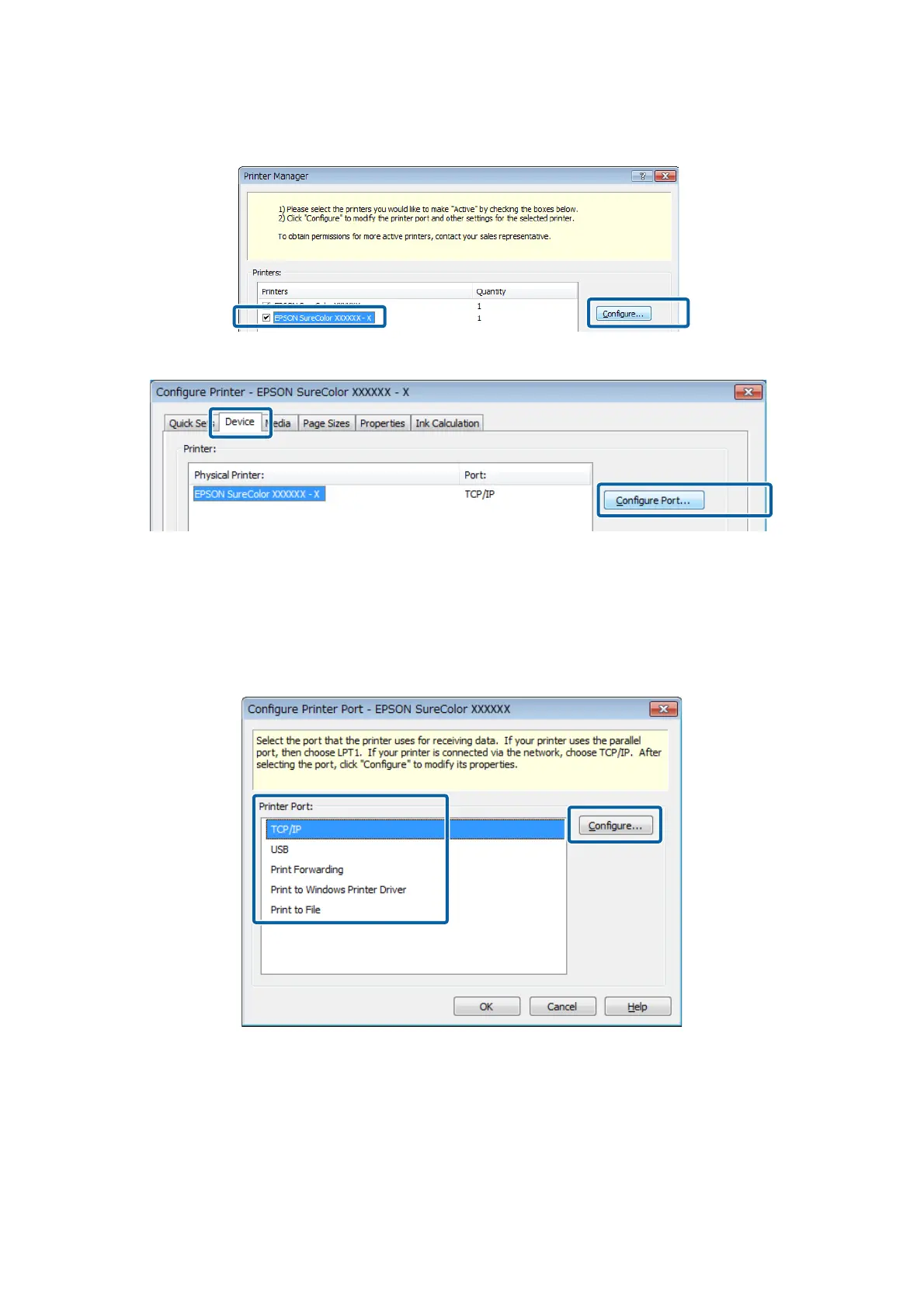
Select the printer that was just added and click Configure.
E
On the Device tab, click Configure Port.
F
Select Printer Port, and then click Configure.
❏ With USB connection:
Select Print to Windows Printer Driver and select your printer.
❏ With network connection:
Select TCP/IP and input the IP address displayed on the Home screen of the Dashboard to Host name or IP
address.
Epson Manual for RIP Printing (ONYX RIP)
Preparations for Printing
16



 To Next Page