Note:
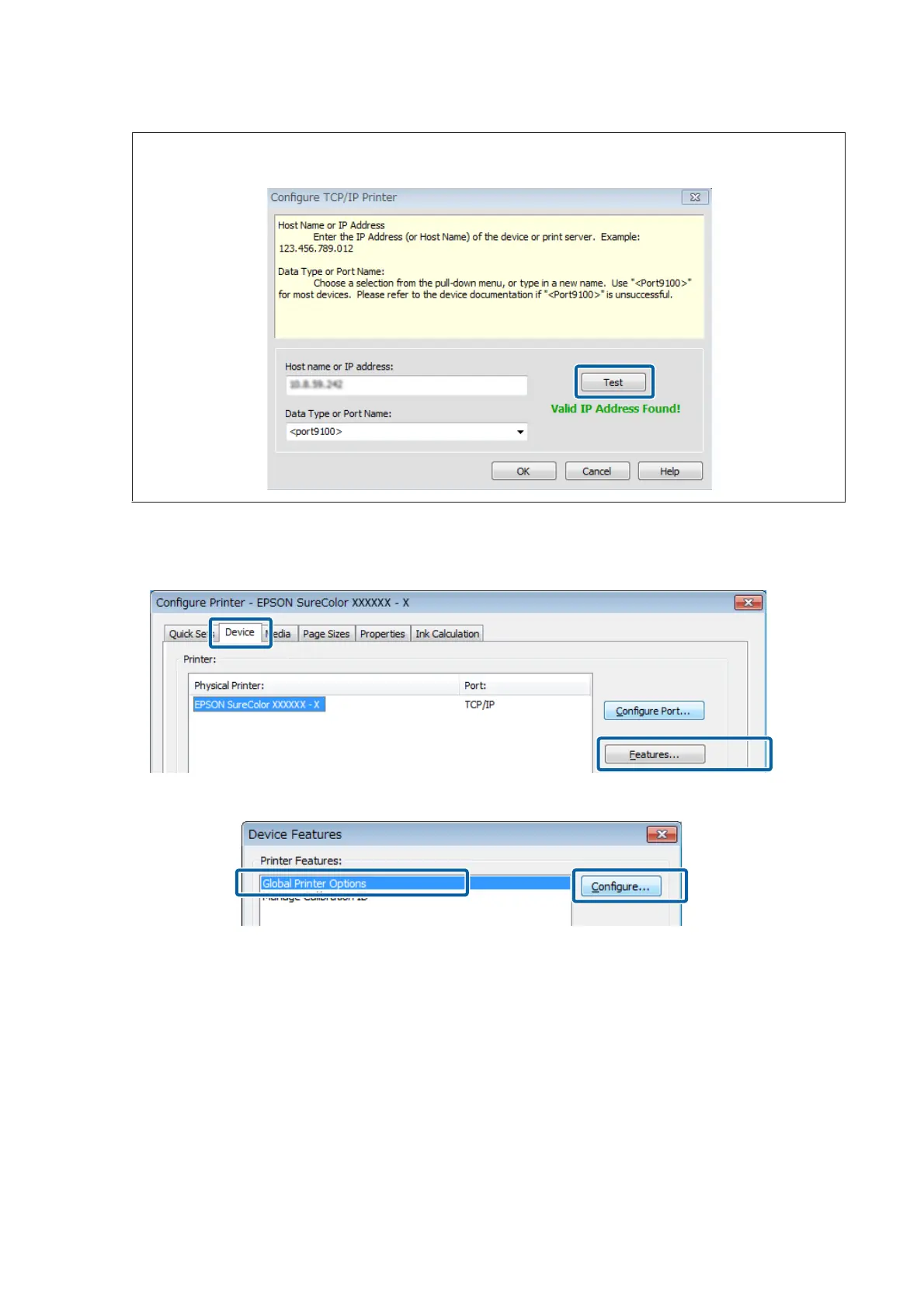
When connected via network, you can check the connection status after inputting the IP address by clicking Test.
Once you have finished doing the settings, click OK to return to the Device tab.
G
On the Device tab, click Features.
H
Select Global Printer Options and click Configure.
Epson Manual for RIP Printing (ONYX RIP)
Preparations for Printing
17



 To Next Page