E
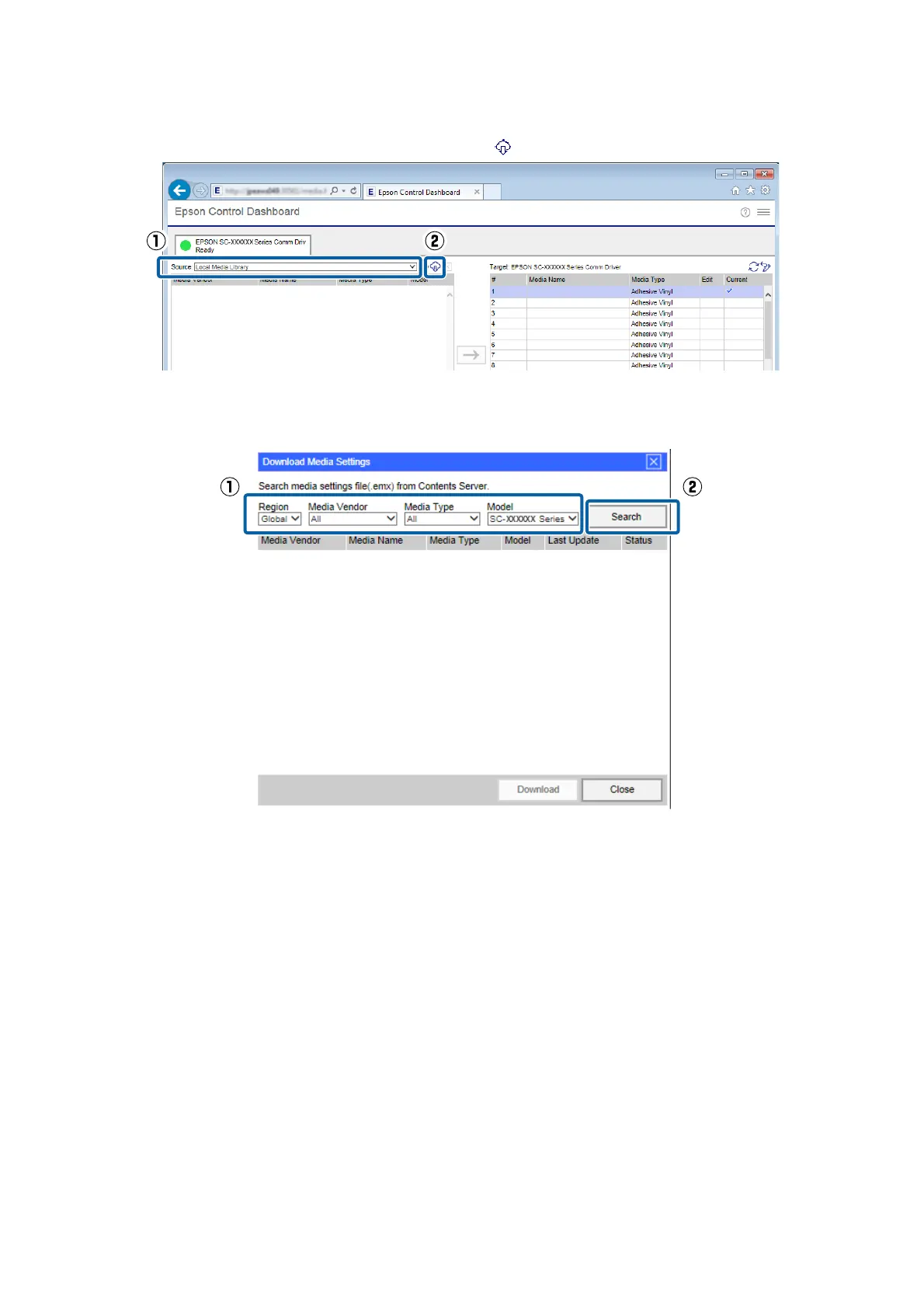
On Source, select Local Media Library, and then click .
F
Select the Region, Media Vendor, Media Type, and Model, and then click Search.
EMX files that match your search conditions are displayed.
G
Click the necessary EMX file, and then click Download.
The EMX files are saved in the following locations. You cannot change the location in which they are saved.
Windows:
%PUBLIC%¥Documents¥Epson¥Control Dashboard¥XXX
*
Mac OS X:
/Library/Caches/Epson/Epson Control Dashboard/XXX
*
* The final XXX are the 3 characters after SC- for the model of your printer (e.g., "S80" when the model is SC-S80600 Series).
Epson Manual for RIP Printing (ONYX RIP)
Preparations for Printing
9



 To Next Page