5-6 Commands
n = 5: Slip paper status
Bit 3: Becomes Off (not waiting) just before actual slip selection takes place
after slip paper is detected
Bit 5 and 6: Transmits the current status of the TOF and BOF sensors.
[Reference] ESC u, ESC v, GS a
CAN
[Name] Cancel print data in page mode
[Format] ASCII CAN
Hex 18
Decimal 24
[Description] In page mode, deletes all the print data in the current printable area.
[Notes] • This command is enabled only in page mode.
• If data that existed in the previously specified printable area also
exists in the currently specified printable area, it is deleted.
[Reference] ESC W
ESC SP
n
[Name] Set right-side character spacing
[Format] ASCII ESC SP
n
Hex 1B 20
n
Decimal 27 32
n
[Range] 0 ≤
n
≤ 32
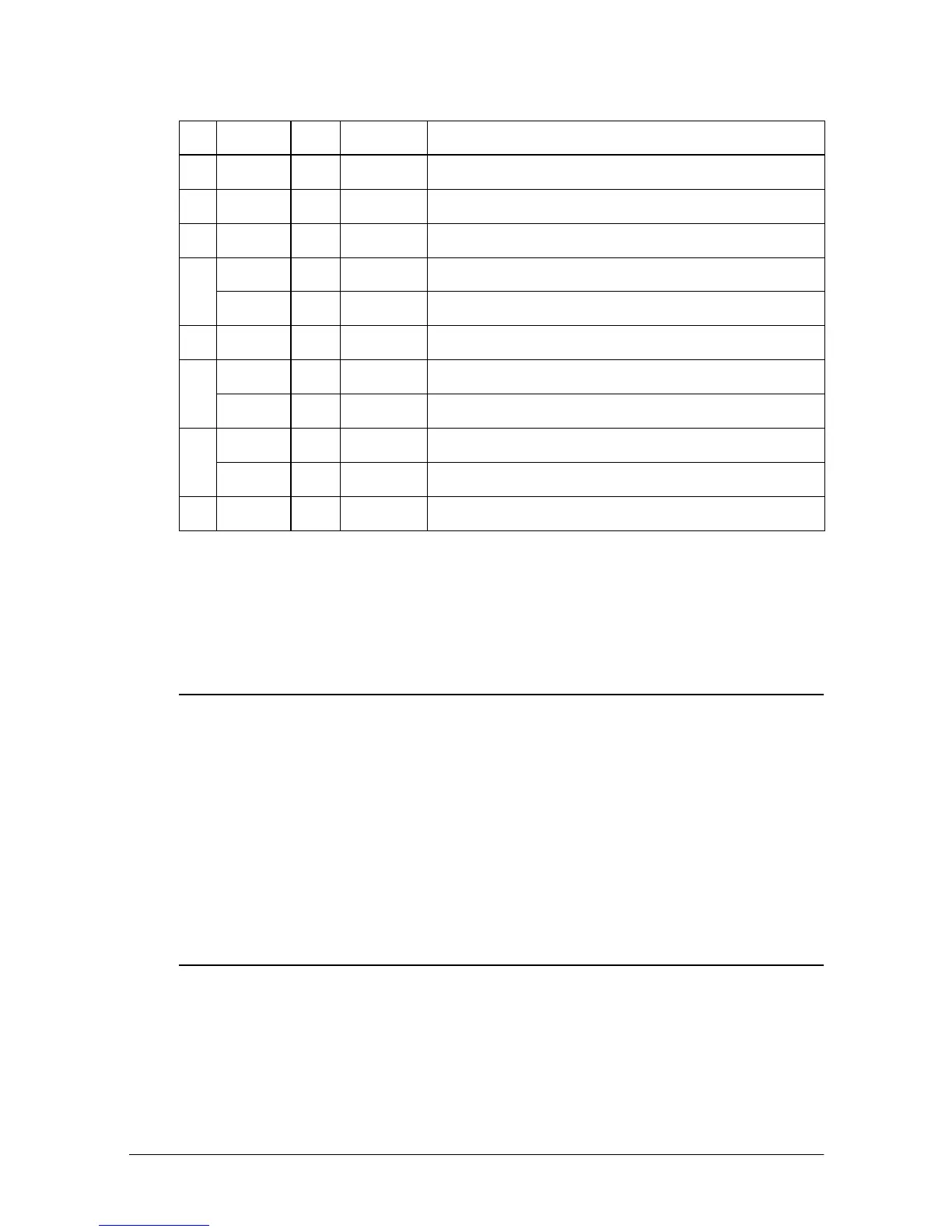
Bit Off/On Hex Decimal Function
0 Off 00 0 Not used. Fixed to Off.
1 On 02 2 Not used. Fixed to Off.
2 Off 00 0 Slip paper selected.
3
Off 00 0 Does not wait for slip paper insertion.
On 08 8 Waits for slip paper insertion.
4 On 10 16 Not used. Fixed to On.
5
Off 00 0 Slip is detected by the BOF sensor.
On 20 32 Slip is not detected by the BOF sensor.
6
Off 00 0 Slip is not detected by the TOF sensor.
On 40 64 Slip is detected by the TOF sensor.
7 Off 00 0 Not used. Fixed to Off.













 To Next Page