Commands 5-27
[Description] Turns upside-down printing mode on or off.
• When the LSB of
n
is 0, upside-down printing mode is turned off.
• When the LSB of
n
is 1, upside-down printing mode is turned on.
[Notes] • In upside-down printing mode, the printer rotates the line to be
printed by 180° and then prints it.
• In page mode, only setting is effective.
• This command is enabled only when input at the beginning of a
line.
[Default]
n
= 0
[Example]
GS I
n
[Name] Transmit printer ID
[Format] ASCII GS I
n
Hex 1D 49
n
Decimal 29 73
n
[Range] 1 ≤
n
≤ 3, 49 ≤
n
≤ 51
[Function] Transmits the printer ID specified by
n
as follows:
n
= 2, Type ID
n
Printer ID Specification ID (hexadecimal)
1, 49 Printer model ID TM-295 02H
2, 50 Type ID See table below.
3, 51 ROM version ID Depends on ROM version
Bit Off/On Hex Decimal Function
0 Off 00 0 Not used. Fixed to Off.
1 Off 00 0 Not used. Fixed to Off.
2
Off 00 0 Undefined.
On 04 4 Undefined.
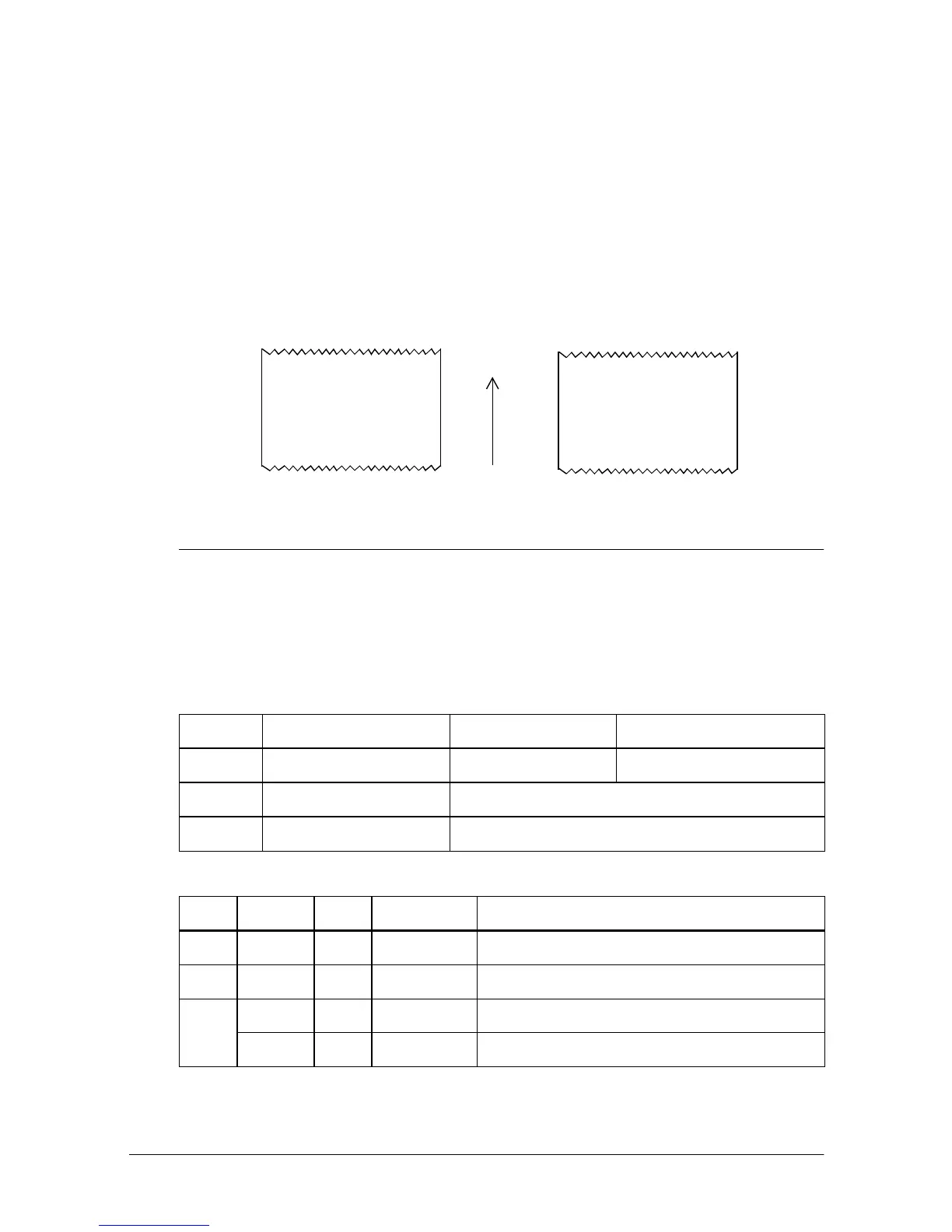
Upside-down printing mode is turned off:
Upside-down printing mode is turned on:
Paper feed direction
ABCDEFG
01 2 3456
0123456
ABCDEF G













 To Next Page