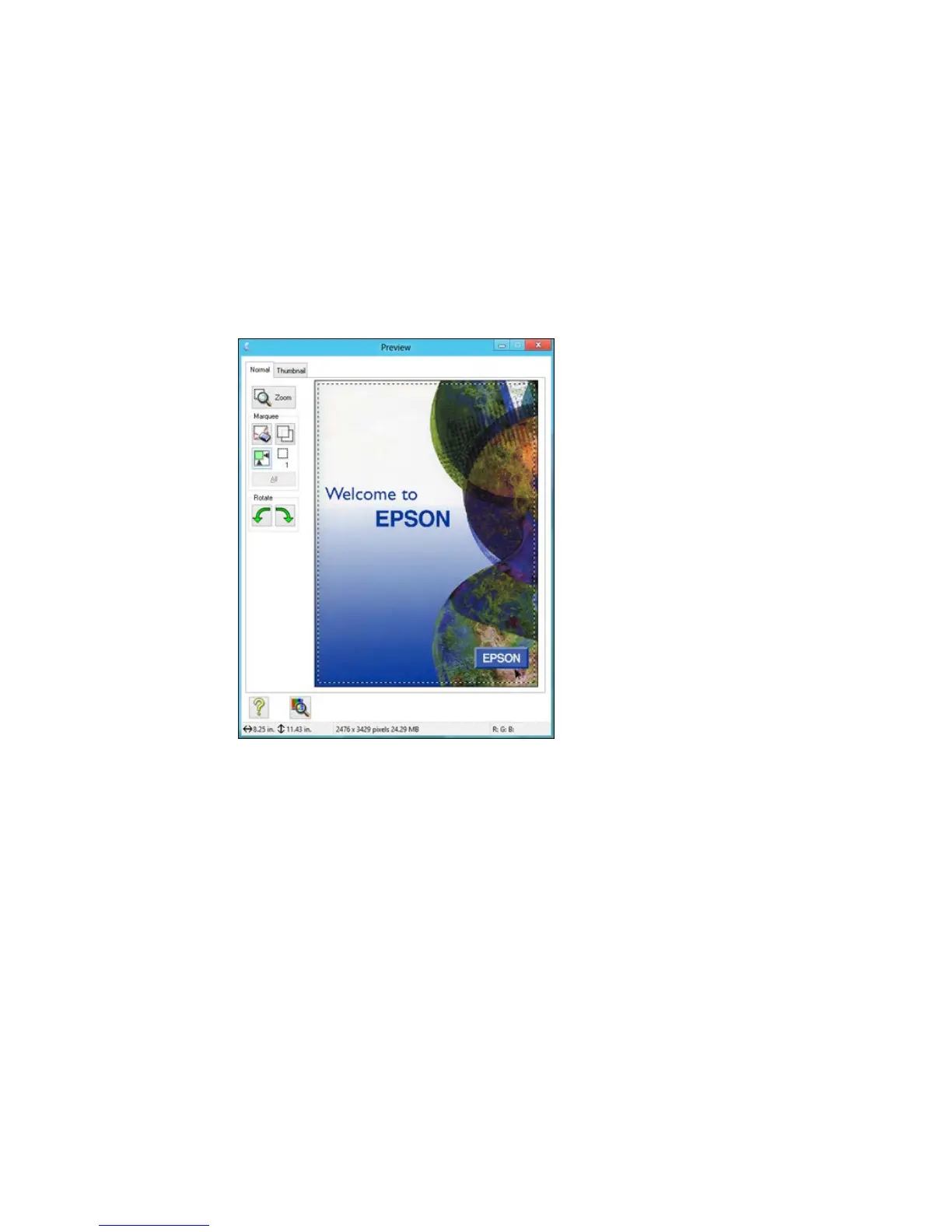
A marquee (dotted line) appears on your preview image proportioned for the size you selected.
3. Do the following, as necessary, to work with the selected scan area:
• To move the marquee, click inside the scan area and drag the marquee where you want it.
• To resize the scan area, place your cursor over the edge or corner of the marquee, then click and
drag the edge where you want it.
Note: Manually adjusting the marquee will not change the target size of the scanned file. The
marquee only indicates the area of the image that will be scanned.



 To Next Page