141
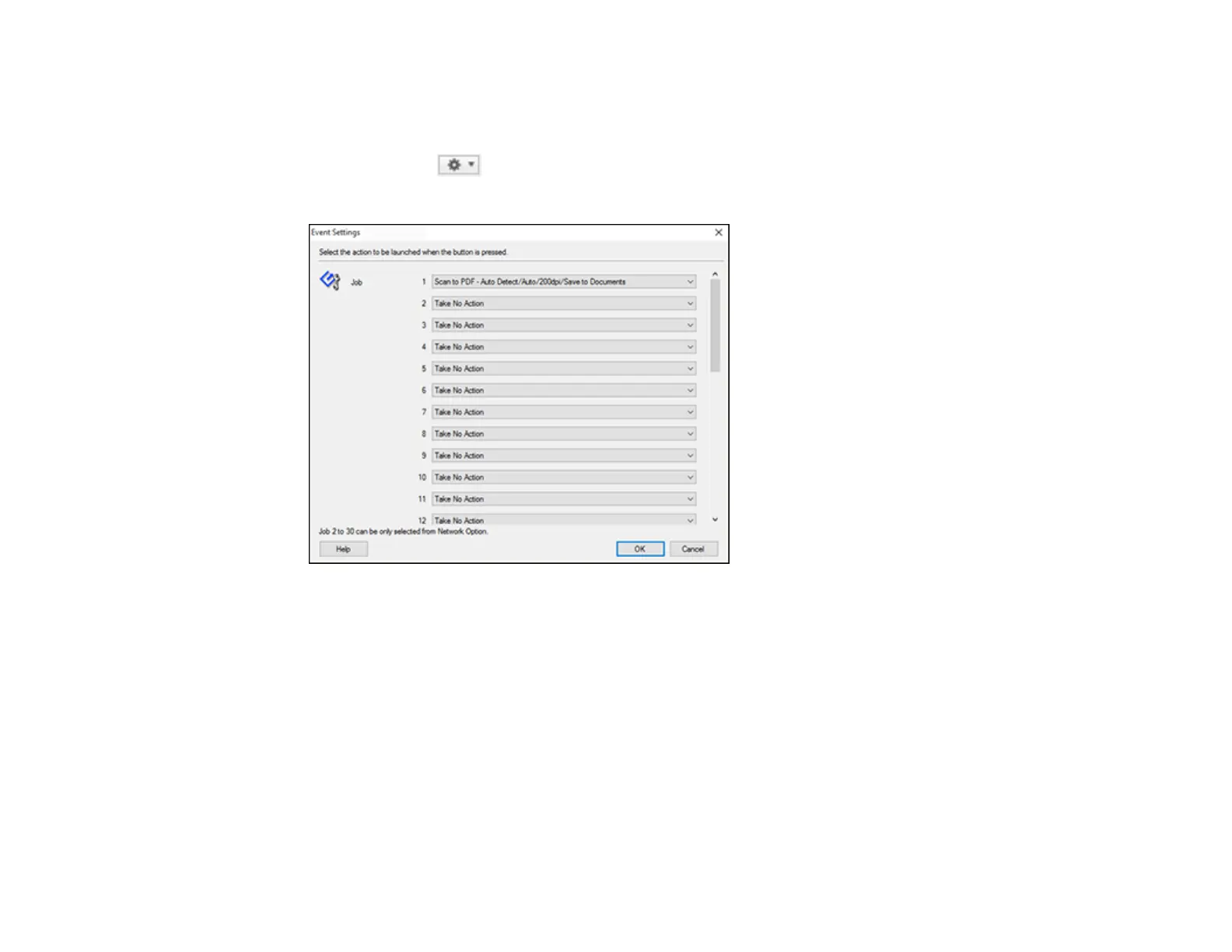
4. If you want to assign scan jobs to the selection list on the product control panel, do one of the
following:
• Windows: Click Event Settings.
• Mac: Click the icon at the bottom of the window, then click Event Settings.
5. Select the jobs that you want to assign to any of the pull-down menus.
You can now use the added scan jobs when you scan from the product control panel.
6. Click OK, then click OK again.
Parent topic: Starting a Scan Using the Product Control Panel
Related tasks
Scanning with Document Capture Pro or Document Capture
Setting Up a WSD Port (Windows 7/Windows Vista)
You can scan to a networked Windows computer using WSD (Web Services for Devices). You must first
set up a WSD port on your Windows 7 or Windows Vista system (the port is set up automatically on
Windows 10 and Windows 8.x).












 To Next Page