69
Note: Do not select automatic 2-sided printing for this type of paper and do not print over the
holes. Select Letterhead or Preprinted as the paper type setting.
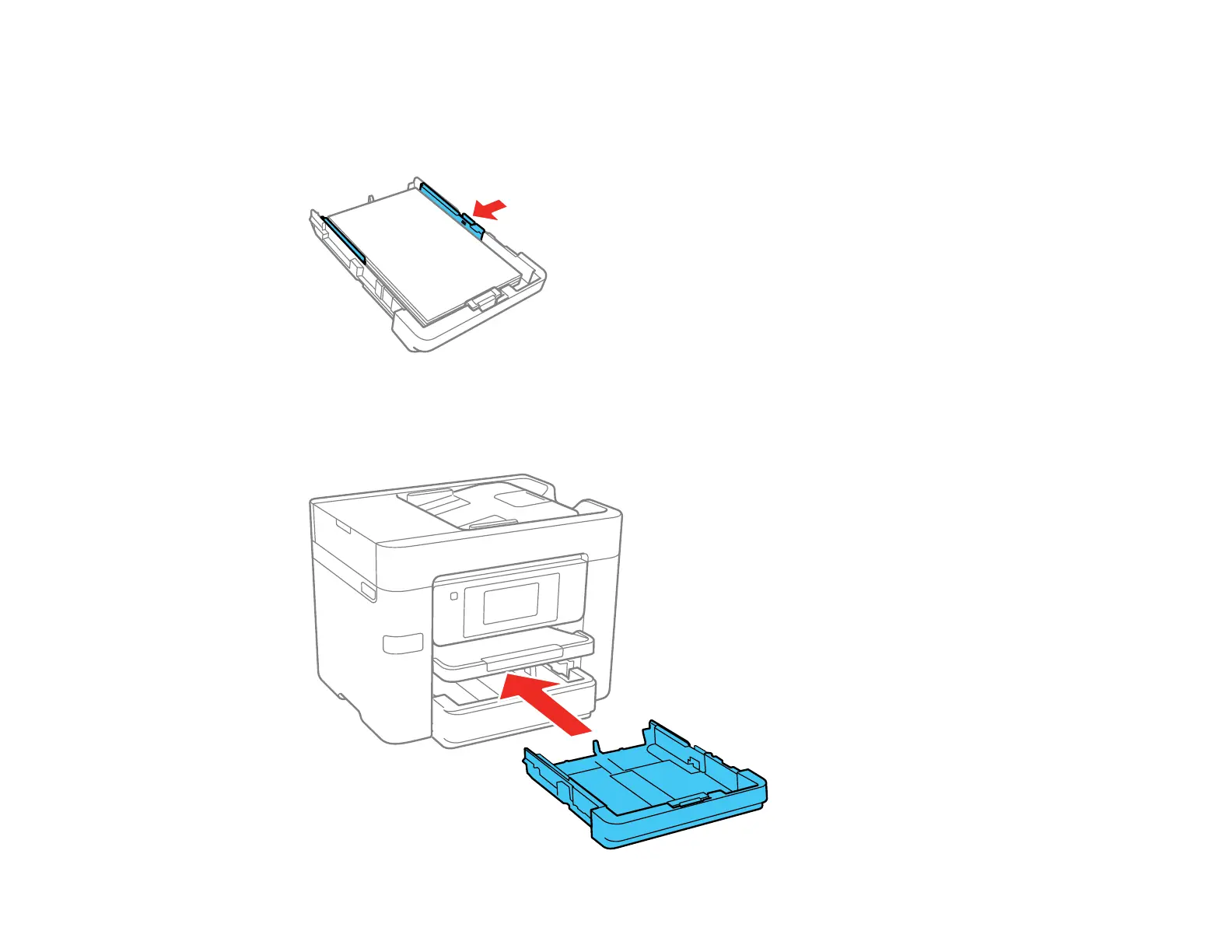
5. Slide the edge guides against the paper, but not too tightly.
Note: Make sure the paper fits under the tabs on the edge guides.
6. Keep the cassette flat as you insert it.












 To Next Page