36
Wireless Network Setup
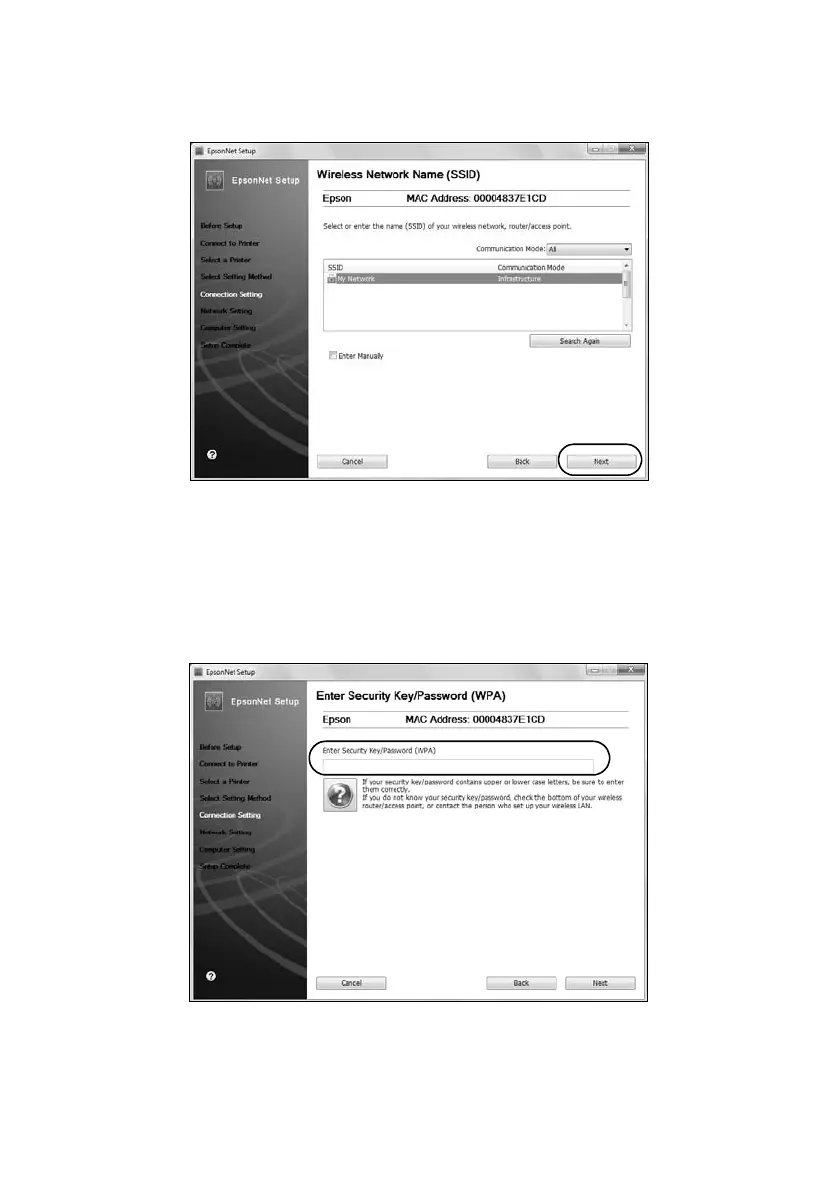
5. When you see a screen like the following, select your network name (SSID)
from the list, then click
Next
.
Note:
If your network name isn’t in the list, select Enter Manually. If your network name
contains uppercase (ABC) or lowercase (abc) letters, enter them correctly.
6. If you see a screen like the following, enter your security key or passphrase,
then click
Next
.
Note:
If your security key contains uppercase (ABC) or lowercase (abc) letters, enter
them correctly.













 To Next Page