9 / 42
2 • Controls
80116-221
10.15
CHAPTER 2
Controls
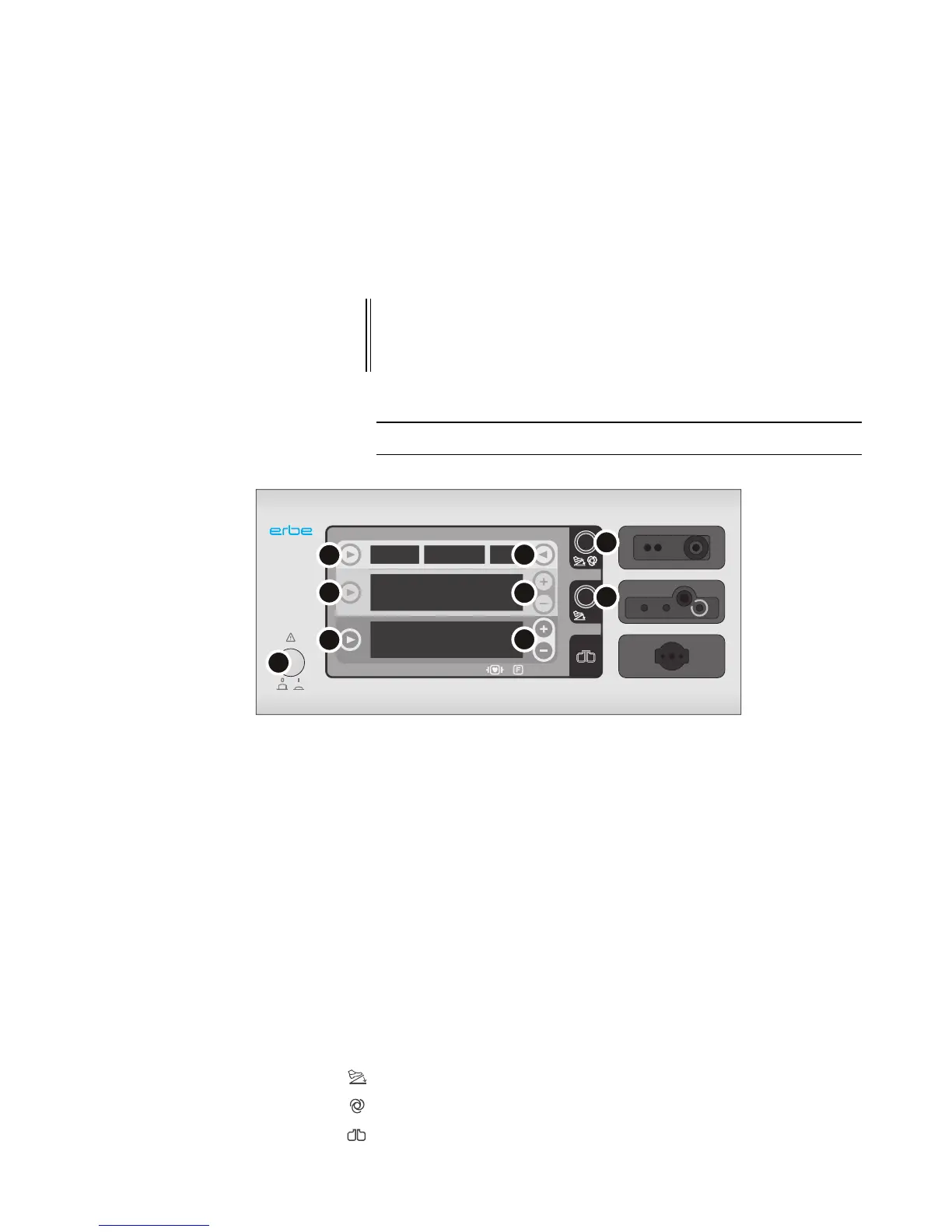
Controls at the front
Fig. 2-1
Footswitch indicator light
AUTO START indicator light
Return electrode indicator light
IMPORTANT! This chapter contains an overview of the controls of the unit(s). The rel-
evant User Manual for the unit(s), knowledge of which is assumed for
servicing work, provides detailed information about how to use the
unit(s).
1 Power Switch
2 Selection button for programs
3 Selection button (CUT)
4 Selection button (COAG)
5 Selection button for activation type
6 Plus/Minus buttons (CUT)
7 Plus/Minus buttons (COAG)
8 Focus button for bipolar receptacle
9 Focus button for monopolar receptacle



 To Next Page