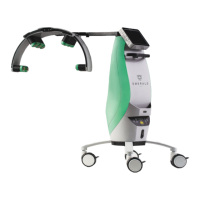
ERCHONIA® EVRL™ PROPER USE REFERENCE GUIDE
LASER OPTICS CLEANING
Use lens paper or lens cloth ONLY. Abrasive material could cause laser light
beam fragmentation, which may reduce the effectiveness of the treatment.
LASER GLASSES CLEANING
Use only mild soap.
WARRANTY
LIMITED WARRAN TY
The Erchonia® EVRL™ device is warranted to be free from defect in material and
workmanship for a period of TWO YEARS from the date of purchase.
For your device to be processed through the Service and Repair Department efficiently,
contact the department prior to submitting your product. Repairs and Warranty work NOT
coordinated through the Service and Repair Department prior to receipt can be delayed.
Items being sent in from overseas require special paperwork, available through the warranty
department. If this paperwork is not obtained prior to shipping; your package will be delayed
by customs.
x Shipping required facilitating warranty repair and or maintenance issues within the first
90-days, will be paid by manufacturer.
x Shipping required to facilitate warranty repair and or maintenance issues after 90-days, is
the financial responsibility of the customer.
x Warranties of Erchonia Corporation products are not transferable unless sold by a
company-approved distributor, reseller and/or leasing company.
x The warranty DOES NOT cover instances involving or damages resulting from:
o Accident, misuse or abuse
o Lack of responsible care
o Use of unapproved battery charger base or power supply
o Alteration or disassembly
o Loss of parts
o Exposure to the elements
o Ingress of liquid
o Exposure to excessive electromagnetic frequency
Toubleshooting
Use the following information to help solve problems that may arise during use. If you still
have questions, call Erchonia Customer Care at 1-321-473-1251, and we will be happy to help.
Problem Possible Cause How to Resolve
Device does not power on May not be charged
Recharge device for 2.5 hours by
placing in inductive charger base
Charge base indicator
lights does not come on
when device is docked
Device may be placed in the
charge base incorrectly or power
supply is not plugged in correctly
Place device in charger base with
the touch screen facing up and
the laser heads in the opposite
end of the charger base indicator
Device is not responding
Internal computer may need to be
reset
Hold the ON/OFF button down
until device powers off, then re-


 To Next Page