Cleaning and maintenance
09/2011 1002410-04 Operating instructions – 41
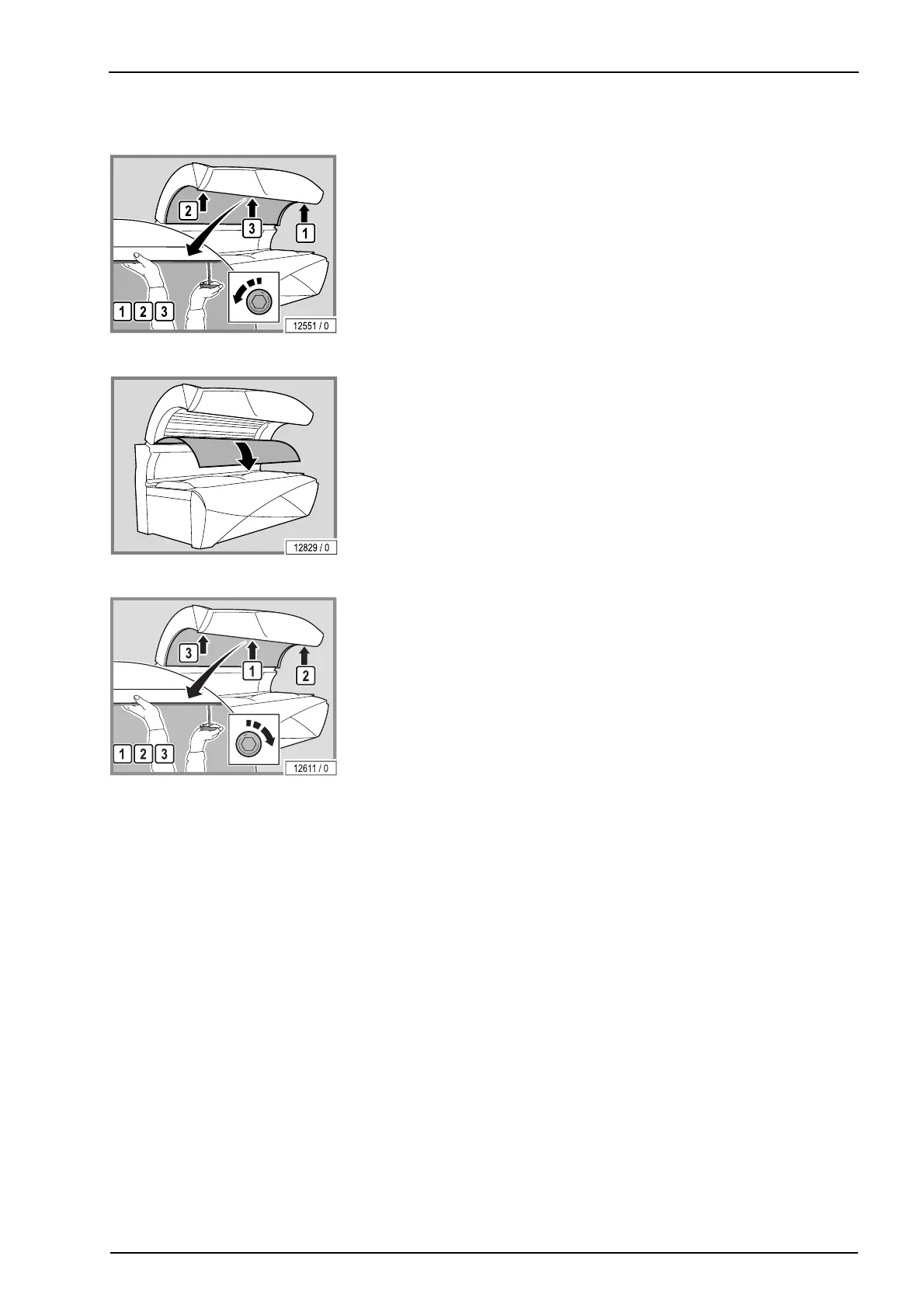
5.7.2 Remove the canopy panel
– Undo the screws. Remove the outside screws first and then remove the
screws in the middle.
– Support the canopy panel with one hand so that it does not fall down.
– Carefully lay the canopy panel aside.
The assembly is the same process in reverse order.
When assembling the device please note:
– Support the canopy panel with one hand so that it does not fall down.
– Refit and retighten the screws. Refit the middle screws first and then the
outer screws.
– Remove fingerprints and other soiling carefully.




 To Next Page