-- 2 6 --
cmha2de1
ASSEMBLY/DISASSEMBLY
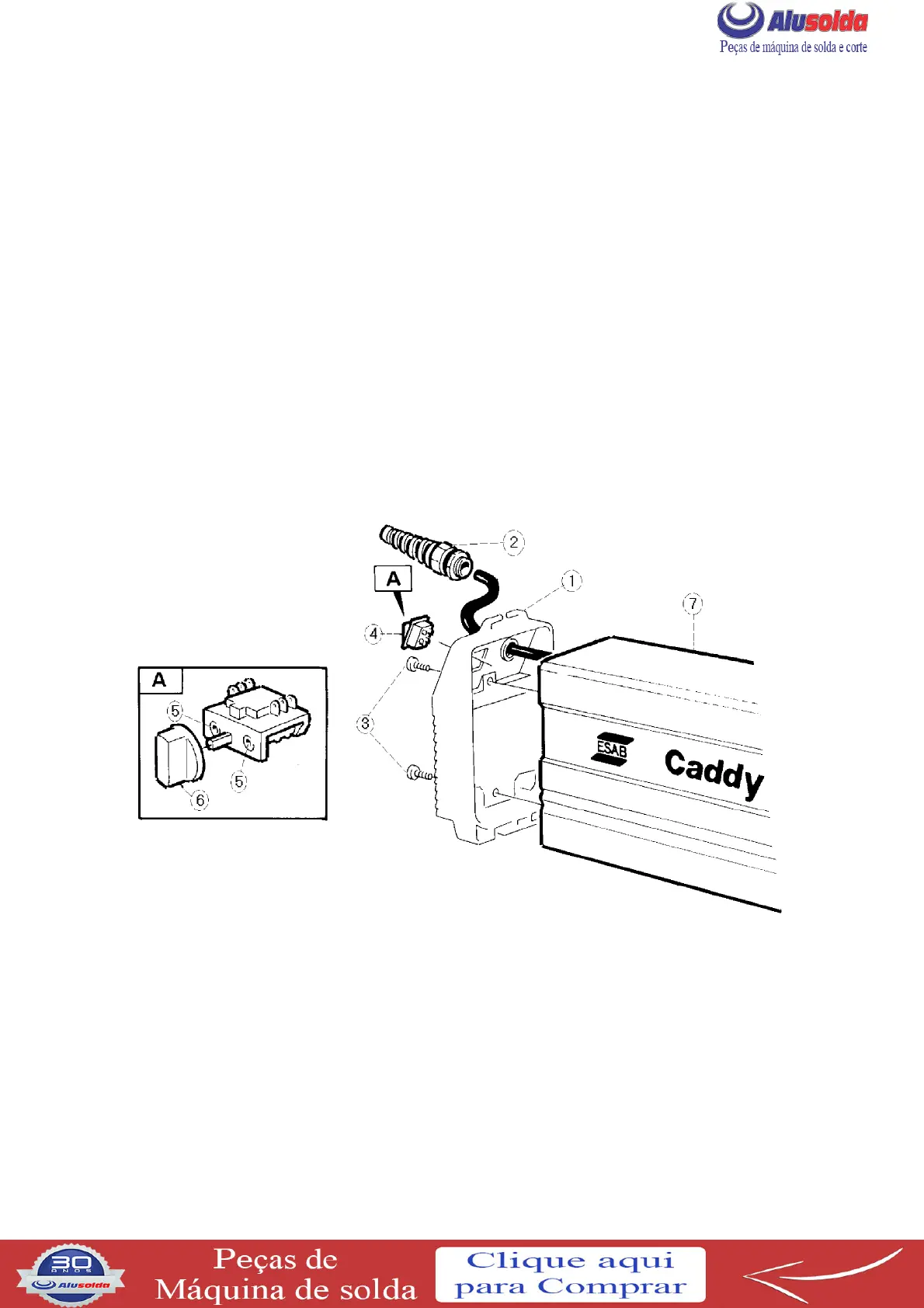
REMOVAL OF REAR PANEL AND CASING
S Remove the strap from the rear panel (1).
S Remove the cable bushing (2) and slide it back along the cable.
S Remove the two screws (3).
S Caddy 130/140:
Remove the r ear panel from t he casing (7) and disconnect the wires to the switch (4).
Caddy 200:
Remove switch knob (6) and screws (5). Remove the rear panel from the casing (7).
S Pull the casing back, over the rear panel and the mains cable.
Removal of the rear panel and casing





 To Next Page