
EasyManua.ls Logo

Esco ASCENT OPTI BASIC - User Manual

Esco ASCENT OPTI BASIC
89 pages
Print Icon
To Next Page IconTo Next Page
Loading...
ASCENT
TM
OPTI BASIC/ ASCENT
TM
OPTI
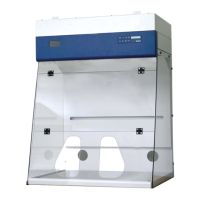
DUCTLESS FUME CABINET
USER & SERVICE MANUAL
Esco SPB/SPD User & Service Manual Version 4 / Released 1 February 2008
Specifications subject to change without notice

Table of Contents

Questions and Answers

  • J
    Jay SalinasAug 25, 2025
    How do I fix a blank LCD screen on my Esco ASCENT OPTI BASIC?
    • S
      sandovaljoanAug 25, 2025
      If the Esco Vacuum Cleaner LCD is blank, consider these solutions: * Check that the LCD FRC (Flat Ribbon Cable) is properly inserted into its socket on the main board. * Adjust the potentiometer (blue color, next to the connector to Relay Board) on the main board to optimize the LCD contrast. * Connect a working LCD to the LCD port of the main board. If the working LCD functions correctly, the original LCD is likely faulty and needs replacement.
  • H
    hobbsdavidAug 28, 2025
    Why is the light always off on my Esco ASCENT OPTI BASIC?
    • J
      Jose MendezAug 28, 2025
      If the light is always off on your Esco Vacuum Cleaner, check the LS7 relay and fuse F7 on the relay board. Replace the fuse if it's blown. A temporary solution is to take out fuse F5 and put it in place of F7. At terminal J13, ensure that the C-NC connection is closed and the C-NO connection is open. If the relay board is faulty, it should be replaced. Contact your distributor for further assistance.
  • A
    Amanda ChambersSep 1, 2025
    What to do if the buttons on my Esco Vacuum Cleaner are not working?
    • S
      sonya80Sep 1, 2025
      If the buttons on your Esco Vacuum Cleaner are inoperative: * Check if the green plastic cable from the membrane is properly inserted into the interface board. Also, verify that the interface board is correctly connected to the main board through an FRC, ensuring the triangle sign on the female connector indicates PIN 1. * If the connections are secure, try replacing the cable, interface board, and keypad one by one to identify the spoiled part(s). Replace the faulty component(s).
  • A
    Andrew HawkinsSep 4, 2025
    How to reduce excessive fan noise in my Esco ASCENT OPTI BASIC Vacuum Cleaner?
    • R
      Rebecca RiosSep 4, 2025
      To address excessive fan noise in your Esco Vacuum Cleaner, check the capacitor and replace it if necessary. Also, check if the blower mounting bolts have been fully tightened.
  • S
    silvachristopherSep 9, 2025
    How do I resolve a 'filter loaded' alarm on my Esco ASCENT OPTI BASIC?
    • A
      Amy AndersonSep 9, 2025
      To address a 'filter loaded' alarm on your Esco Vacuum Cleaner, plug in the multimeter to the Motor Voltage Sampling Port. Turn the Speed Control to increase the blower voltage by approximately 10 VAC until the alarm is turned off and the LCD shows nominal airflow reading. Allow the sensor 2-3 minutes to register the new airflow setting. If the blower is already at maximum voltage and the alarm persists, it's time to change the filter.
  • S
    Sue MillerNov 12, 2025
    How to troubleshoot an Esco ASCENT OPTI BASIC Vacuum Cleaner cabinet that does not start?
    • K
      karenhendersonNov 12, 2025
      If the Esco Vacuum Cleaner cabinet does not start, check the following: * Ensure there is power at the wall socket. Examine electrical components and connections before resetting the circuit breaker if it has tripped. * Verify that the electrical cord is properly connected to both the building socket and the cabinet. * Measure the AC voltage between the LIVE and NEUTRAL terminal block in the electrical panel. It should be around 230Vac or 115Vac +/- 10%. If significantly lower, inspect the cable connection at connector A pins 1, 2, and 3. * Check if the SMPS (switching mode power supply, model HK-E518-A075/120) output is 7.5VDC at its output terminal. Disconnect the 5-pin connector attached to the SMPS and measure the DC voltage between the Red (pin 1) and Black (pin 4) cables on ...
  • C
    Colleen DeanNov 16, 2025
    What to do if the Esco ASCENT OPTI BASIC Vacuum Cleaner triggers an airflow failure alarm?
    • D
      Daniel MartinezNov 16, 2025
      If the Esco Vacuum Cleaner airflow failure alarm is triggered, check these potential causes: * Low building supply voltage: Measure the AC voltage at the motor voltage sampling port. If it's lower than the nominal voltage, adjust the speed control to achieve the blower's output voltage specified in the Test Report. * Fluctuating voltage: If the building supply voltage fluctuates more than +/- 2%, connect the cabinet to a voltage stabilizer. * External airflow disturbances: Ensure no air conditioner vents, windows, or door openings are affecting the cabinet. * Blocked air grilles: Make sure the front and back air grilles inside the cabinet are not blocked and that the cabinet is not excessively loaded. * Air Flow Sensor: Check the sensor connection. Ensure the sensor is not block...
  • A
    Adam VasquezNov 19, 2025
    What to do if my Esco Vacuum Cleaner motor is silent?
    • A
      Angelica ParsonsNov 20, 2025
      If the Esco Vacuum Cleaner motor is silent, try the following: * Ensure the fan is switched on by pressing the FAN button near the LCD. The green LED above the FAN button should illuminate. * Check fuse F1 on the relay board. If blown, replace it. As a temporary fix, you can take out fuse F5 and use it to replace the blown F1. * Inspect the LS1 relay on the relay board. The C-NC connection should be closed (0 resistance), and the C-NO connection should be open (unlimited resistance). Measure the resistance between C and NC, and C and NO on terminal J2. * If LS1 is fine, check the K1 relay on the electrical panel. With the cabinet switched off, ensure the cables attached to the relay are tight and inspect the relay for any burnt marks. If K1 is damaged, replace it. Find the correct...

Esco ASCENT OPTI BASIC Specifications

General IconGeneral
BrandEsco
ModelASCENT OPTI BASIC
CategoryVacuum Cleaner
LanguageEnglish