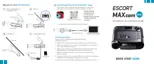
Programming Menu
Tones Standard* Standard alert tones
Standard+ Standard alert tones for primary alert plus a
double-beep tone for additional alerts
Mild Mild doorbell chime alert tones
AutoMute Low / Med* / High / Off During an alert, automatically reduces audio to selected
volume level
AutoLearn On* / Off Automatically stores and locks out false alerts
Units English* / Metric Units for distance and speed
Language English* / Español Language for voice and text
Voice On* / Off Voice announcements
GPS Filter On* / Off Enables GPS Filtering of stored false alerts
AutoPower Off / 1 Hour / 2 Hours / Powers down unit after specified time
4 Hours*/ 8 Hours NOTE: If AutoPower is enabled, to save screen life the display screen
goes blank after 30 minutes without moving. Display screen will
turn on automatically after you reach 10MPH
Band Enables Default* Default Band Enables
Modified Band Enables have been modified from their default settings
X Band On* / Off
K Band On* / Off Covers frequency range: 24.050 – 24.250 GHz
NOTE: When K Band is off, K Narrow bands are available selections
K Narrow 1 On* / Off Covers frequency range: 24.050 – 24.110 GHz
K Narrow 2 On* / Off Covers frequency range: 24.110 – 24.175 GHz
K Narrow 3 On* / Off Covers frequency range: 24.175 – 24.250 GHz
K Narrow 4 On / Off* Covers frequency range: 23.950 – 24.050 GHz
MultaRadar CD On / Off* MultaRadar CD detection
MultaRadar CT On / Off* MultaRadar CT detection
Press SEN to go from Press VOLUME + or – to change
one category to the next your setting within a category
11


 To Next Page