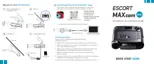
Programming Menu
Press SEN to go from
one category to the next your setting within a category
Press VOLUME + or – to change
Video Record On* / Off Turn off/on video recording
Microphone On* / Off Turn off/on microphone
Loop Clip Time 1 Min* / 3 Min / 5 Min Loop Recording Time
G-Sensor Off / Level 1<>*/ G-Sensor Level
Level 2<<>>/
Level 3<<<>>>
Parking Mode On / Off* Turn off/on Parking Mode
Motion Detect On / Off* Turn off/on Motion Detection
Watermark On* / Off Turn off/on Watermark stamp
Date/Time On* / Off Turn off/on Date/Time stamp
Speed Stamp On / Off* Turn off/on Speed stamp
Radar Stamp On* / Off Turn off/on Radar stamp
Format Card Format Formats SD Card. Press Mute again to confirm
Exit Exit Marker Enables menu
Serial Number and Software Version
To view your MAXcam 360c’s serial number and software revision, press and hold the MRK and MUTE
buttons while powering on the detector.
User Mode
Advanced access and customize all settings and preferences.
Novice access and customize only Units (English or metric) and Display Color. All other
preferences are set to factory defaults. To view all settings and preferences, you
must switch to Advanced mode.
14


 To Next Page