Page 19 of 19 0455-0209 Rev C
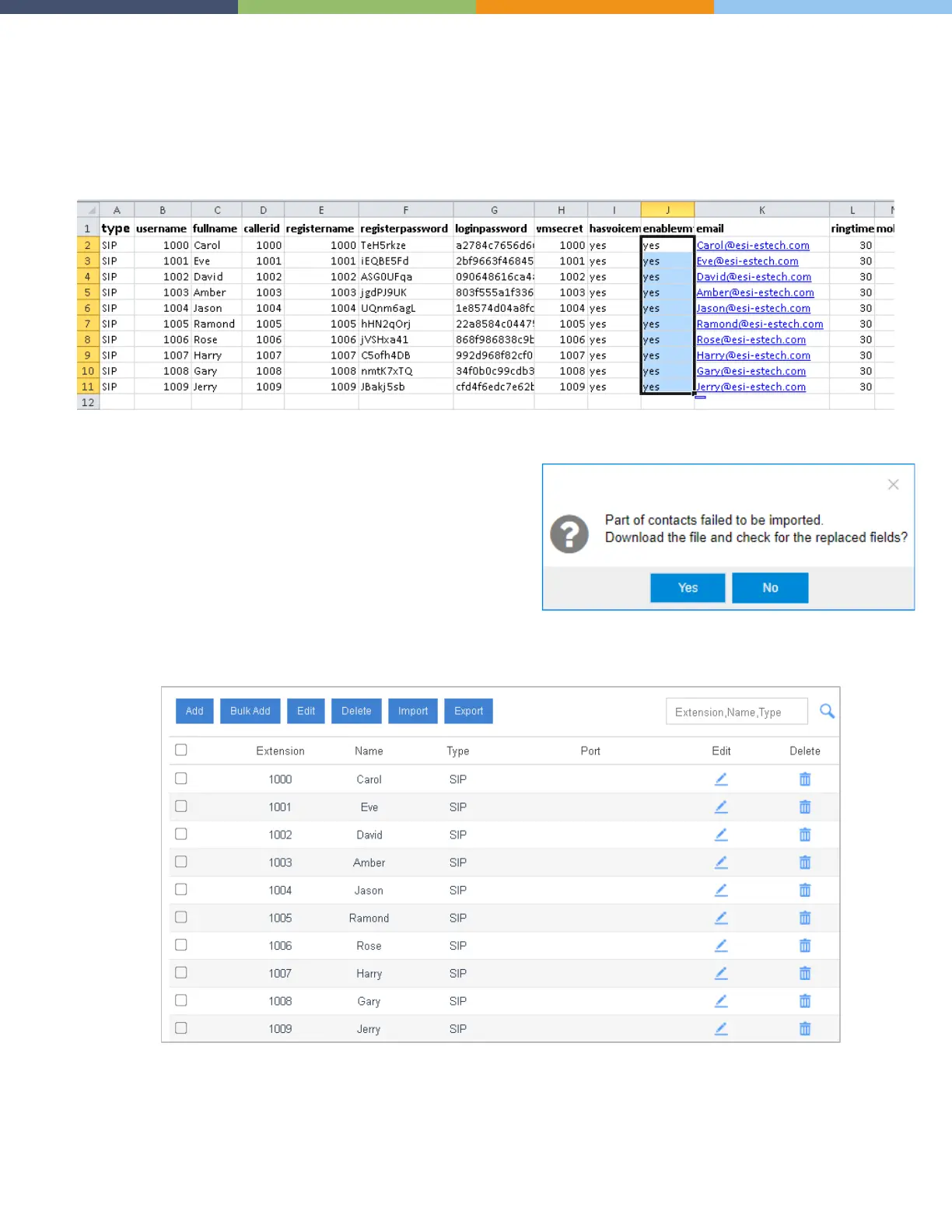
3. Edit the CSV file, enter the users' names and email addresses, then save the file.
a. fullname: Enter the user's name. The fullname stands for the Caller ID Name.
b. email: Enter the user's email address.
4. Import the CSV file to the PBX.
a. On the Extensions page, click Import.
b. On the pop-up dialog, click Browse, select your CSV file.
c. Click Import.
Note: You may get an error prompt like the following figure.
Click Yes to check the log.
Ignore the error if the Error Cause displays "username[1000]:
The imported record is existing, the record has been
overwritten".
5. Check the imported extensions on PBX.



 To Previous Page