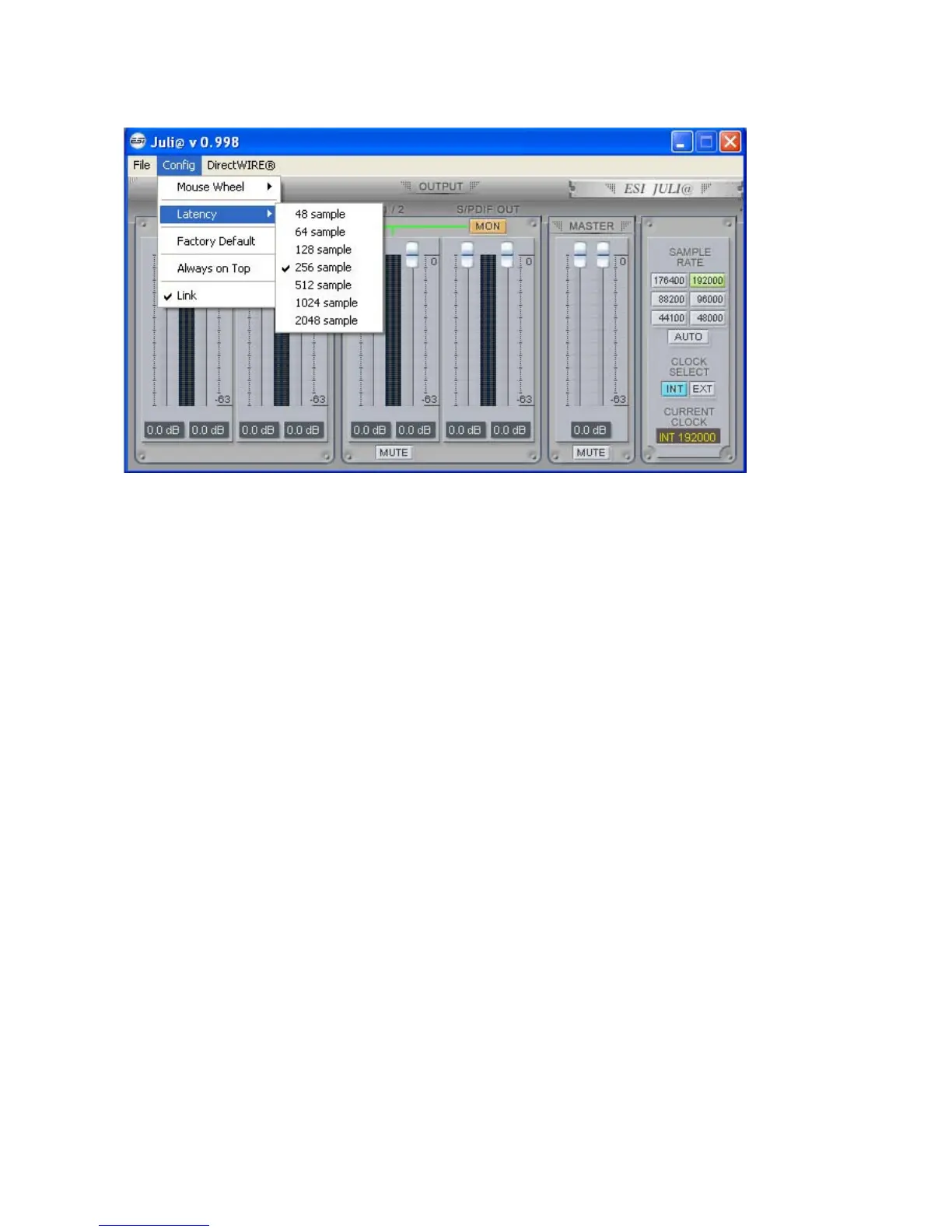
ESI Juli@
1. File - Exit
File – Exit will close the Juli@ Console window but it will not shut down the Console. You can
always launch the Console by clicking ‘ESI’ icon on the system tray.
2. Config – Mouse Wheel
Controls the increment at which the volume is adjusted when using a mouse wheel. The adjustment
step is from 1 to 8.
3. Config – Latency
Adjust the latency (also often referred as buffer size) of the Juli@. A faster latency is achieved by
selecting smaller sample size which is ideal for software synthesizer and precise timing recording.
However, the latency is also limited by your system performance. For recording, select a sample
size between 64 ~ 512, and select 128 or 256 for Pentium 4 systems.
Sample sizes of 48, 1024 and 2048 are used in special circumstances of which 48 is reserved for
very fast and reliable ASIO driver working environments. The factory default setting is 256.
4. Config – Factory Default
It resets the Console to default settings.
5. Config - Always On Top
This enables to place the Console on top of every open window, which makes it easy to work with
Juli@ and other music software simultaneously.
6. Config - Link
Links the L-R faders for stereo operation. Un-select the button, if you need to control the left and
right levels independently.
25



 To Next Page