ESI Juli@
5. Wavelab
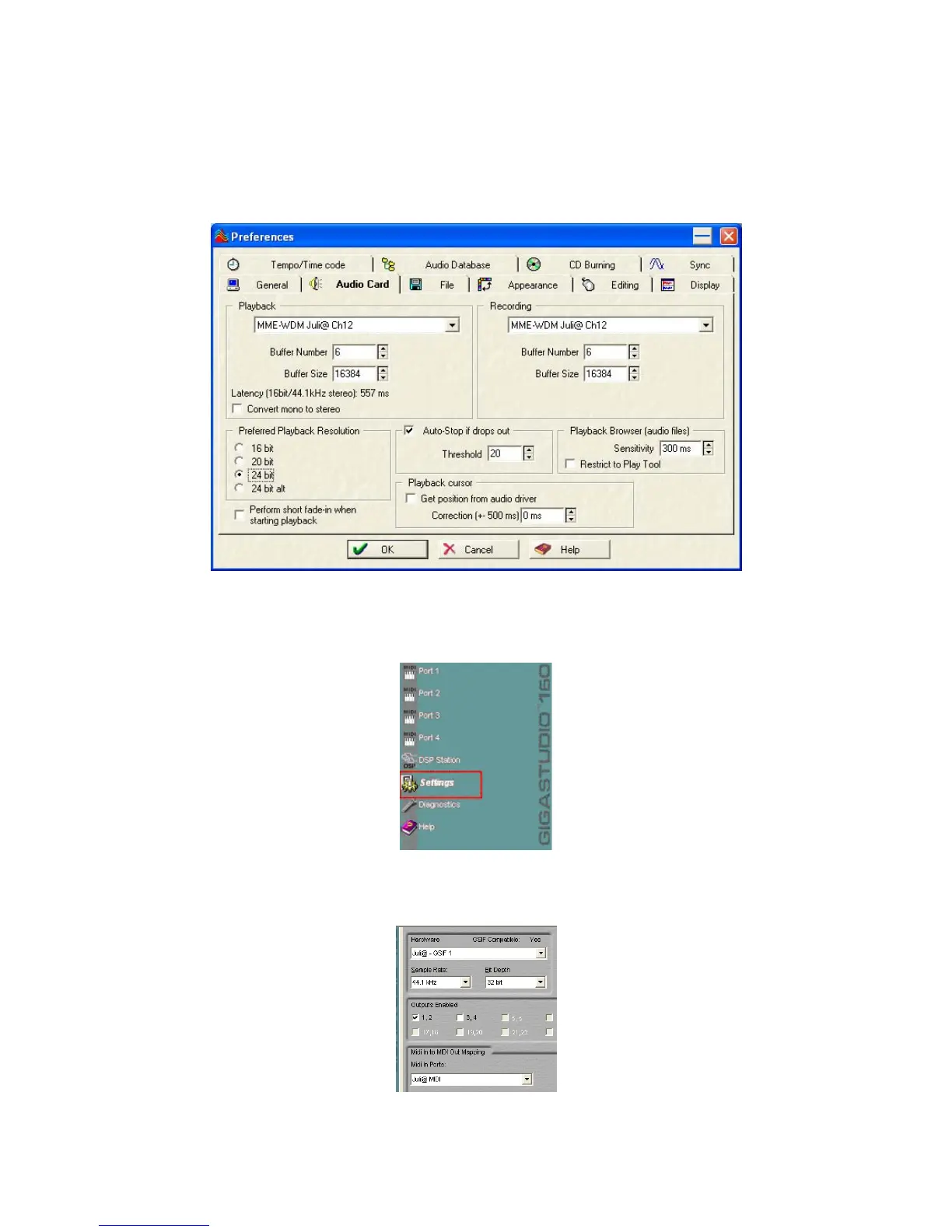
After launching Wave Lab, go to ‘Options -> Preference -> Audio Card’. Select either ‘MME-
WDM 1-Juli@ Ch12’ or ‘ASIO 2.0 –Juli@’.
6. Giga Studio (v. 2.20.42 or higher)
After launching GIGASTUDIO, select ‘Settings’ from the menu on the left.
On the right section, select ‘Juli@ -GSIF’ for the hardware. Also, make sure to use the same sample
rate and bit depth as in your sequencer software.
37



 To Next Page