ESI Juli@
7. DirectWire
(explained later in detail)
2. Input Panel
Analog Input 1/2
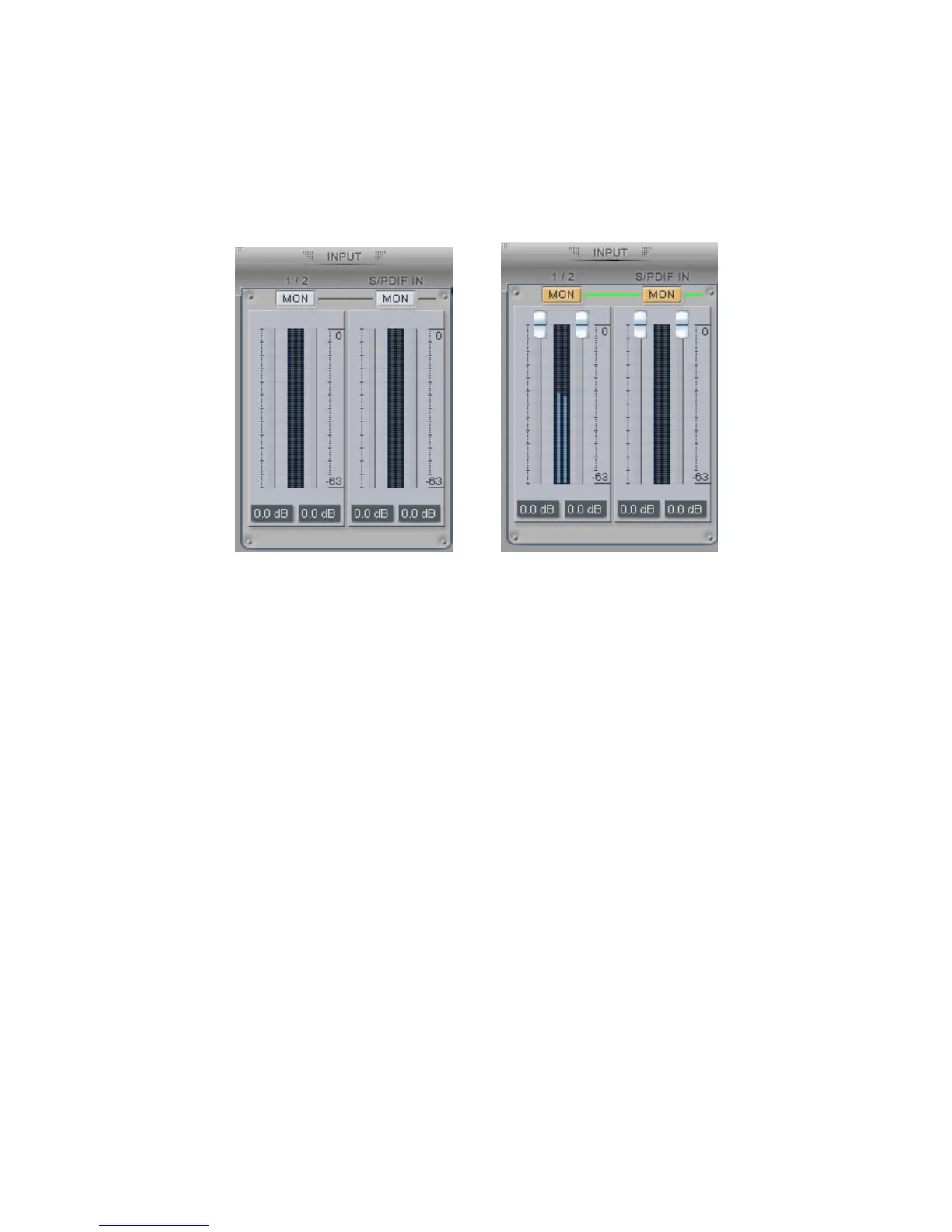
This is where you can adjust the input monitoring level for the analog input 1/2. When you active
‘MON’ button of 1/2, the input monitoring level fader appears (displayed on the right picture). Now
the analog input signal is routed to output 1,2 and you can monitor (listen to) the analog input signal
in real-time. The monitoring level can be set using the mouse, mouse wheel, or cursor keys.
S/PDIF Input
This is where you can adjust the input monitoring level of the S/PDIF input. When you active the
‘MON’ button of S/PDIF, the input monitoring level fader appears (displayed on the right picture).
The S/PDIF input signal is then routed to output 1,2 and you can monitor the S/PDIF input signal in
real-time. The monitoring level can be set using the mouse, mouse wheel, or cursor keys.
MON
When you activate this button, input monitoring (for monitoring via the analog output 1,2) level
fader will appear for this channel.
MUTE
Select this button to mute each signal source.
26



 To Next Page