4
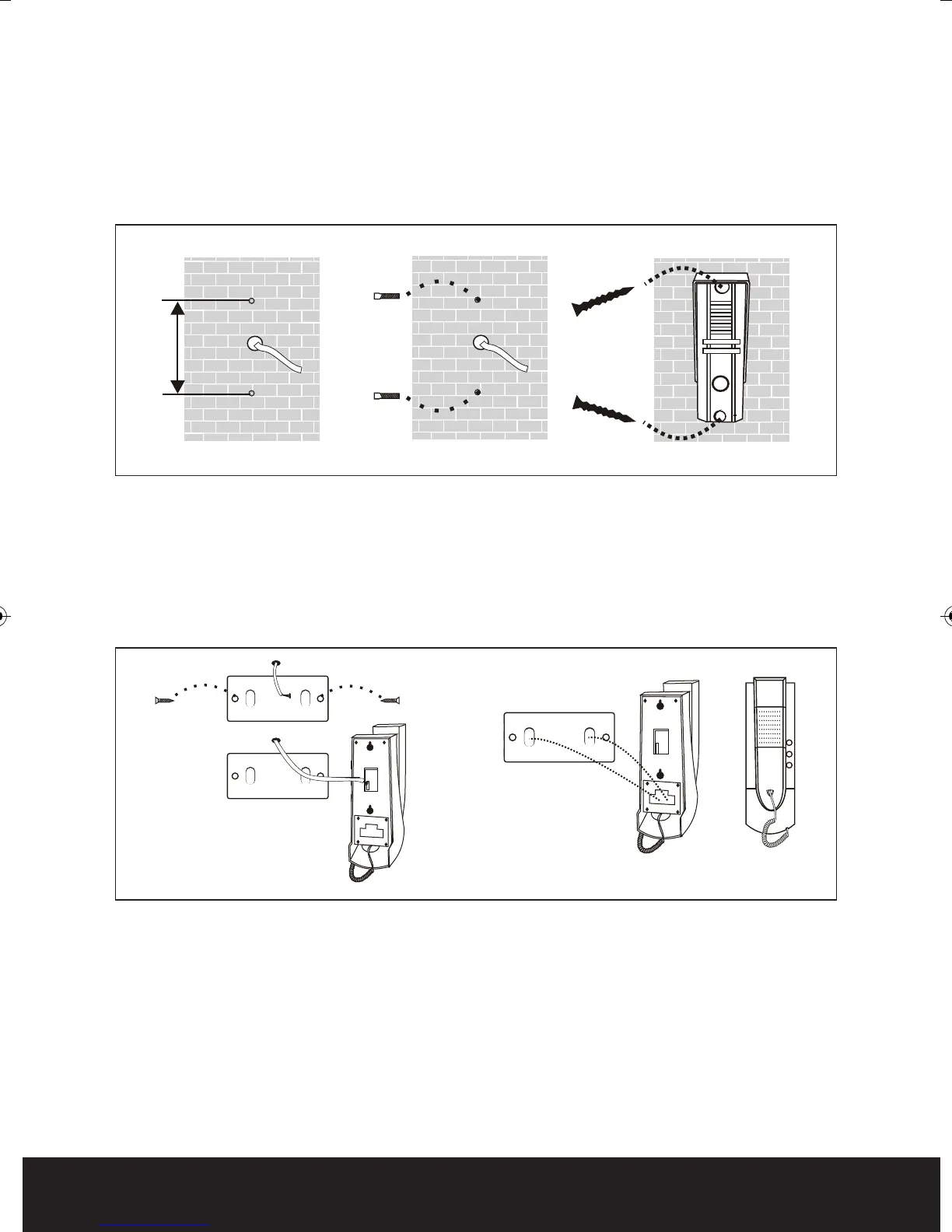
Evoke Handset Installation
1. Fasten the steel mounting bracket on the wall.
Then connect incoming cable to the 4 core brown plug.
2. Hang the indoor handset on the steel mounting bracket.
Evoke Call Point Installation
1. Distance of each fixing screws as shown below. Mark fixing screw positions and cable entry hole.
2. Drill fixing and cable entry holes and mount steel wall plate.
Connect incoming cable to the red/black on camera.
3. Fit hood and door call unit and secure to wall using the enclosed security fixing screws.
Fig. 2
Fig. 1
Evoke Manual_Layout 2 24/07/2012 10:11 Page 4



 To Next Page