6
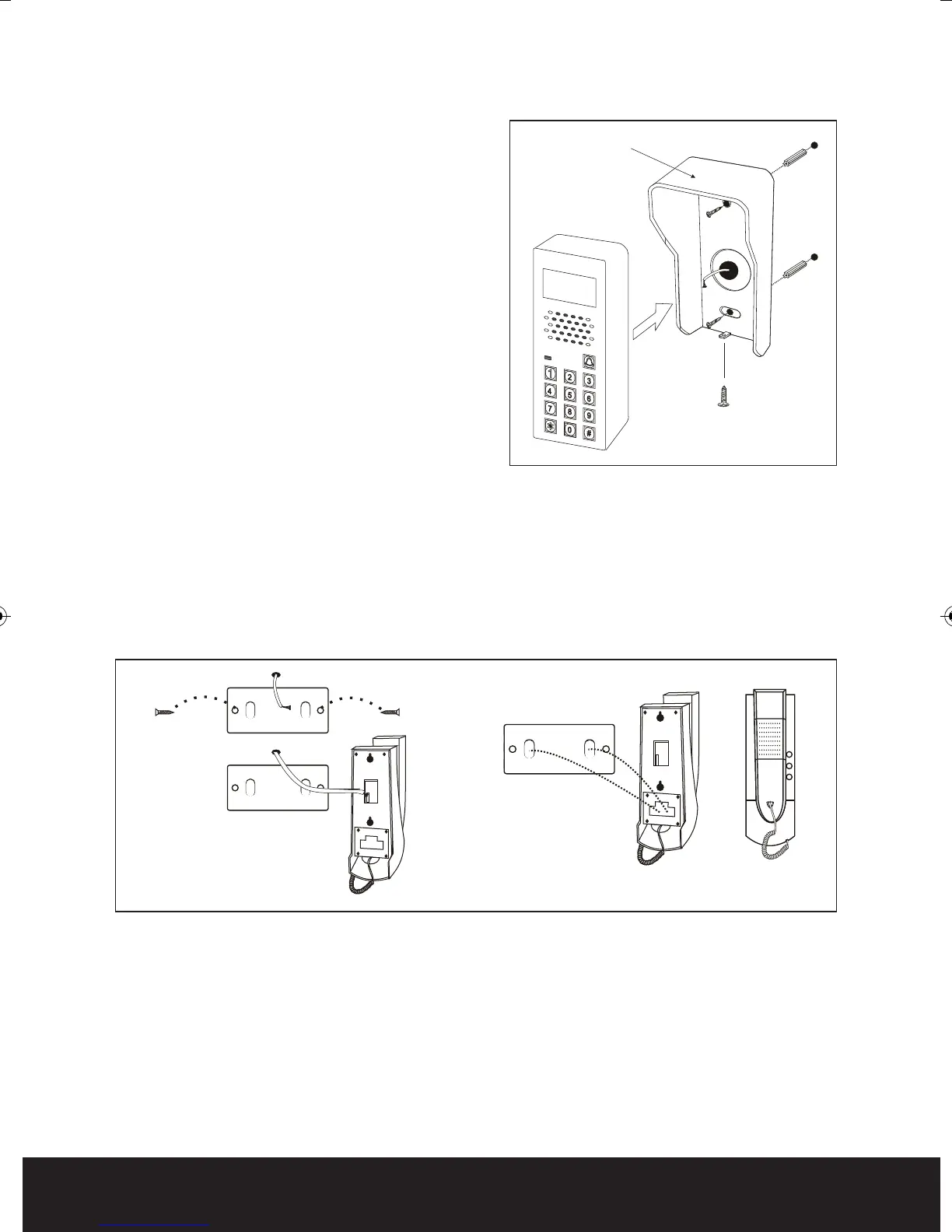
Evoke KP Handset Installation
1. Fasten the steel mounting bracket on the wall.
Then connect incoming cable to the 4 core brown plug.
2. Hang the indoor handset on the steel mounting bracket.
Fig. 3
Evoke KP Call Point Installation
(Requires 12 VDC PSU - EVBPS)
1. Select a suitable location to mount the outside
door station. Mark the fixing and cable entry
holes, the shroud can be used as a template for
this. Once all holes are drilled feed cable
through the wall
2. Place the raw-plugs into the drilled holes, and
fix the water cover to the wall using the screws.
3. Connect incoming cable to the term
in
al strip on
the rear of the keypad.
4. Fit the keypad to the water cover and secure
using the bottom securing screw.
Fig. 4
Evoke Manual_Layout 2 24/07/2012 10:11 Page 6



 To Next Page