HELP GUIDE
In the event of trouble with the system please follow the help guide.
If further problems persist please contact the installer / supplier.
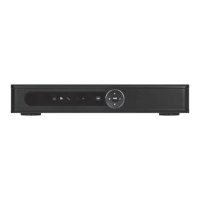
The DVR will not boot up normally
• The power supply is not correctly connected/ switched On
• The incorrect power supply is being used
• The power supply is not producing the required voltage
• Disconnect any other devices connected to the power supply / DVR to identify
external device trouble
Connection issue with the monitor
• The monitor cable is not correctly connected or is damaged
• The incorrect power is applied to DVR / Monitor
• The correct input channel has not been selected on the monitor
• The correct resolution has not been selected in the DVR’s GUI Display menu
• Connect a temporary test monitor to adjust the DVR’s GUI Display menu
There are no cameras displayed on the monitor
• The camera power supply is not correctly connected or damaged
• The camera signal cable is not correctly connected or damaged
• Try another channel input
• There is a connection issue with the monitor
I cannot find the video files in Playback mode
• Recording did not take place in the specified time range
• The recording parameters have not been programmed correctly / switched off
• Hard drive has been overwritten
• Hard drive cannot be detected
Video files not found in Playback mode
• The recording parameters have not been programmed correctly / switched off
• Hard drive has been overwritten
• Hard drive cannot be detected
DVR cannot detect hard disk
• The DVR’s power supply is not correctly connected or damaged
• The HDD has not been connected correctly
• An incorrect HDD has been installed
Network connection to DVR is not stable
• Network is not stable
• DVR is not networked correctly
• Incorrect network details have been entered in the remote viewing platform
15


 To Next Page