B.
Thingspeak Setup
Thingspeak is a free cloud service which allows you to easily post (sensor) data, to visualize it
and to retrieve it again using simple HTTP methods. I’d like to point out that you could also
use OpenWeatherMap to store your climate data and it probably would be very easy to
do as well. But I believe that for education purposes Thingspeak permits more degrees of
freedom. After all you could also send readouts from a motion sensor and visualize this
information on a chart. Thingspeak has some nice additional features which lets you
program webhooks to trigger a push notification on your cell phone, etc.
So first of all you have to sign up for a (free) account on Thingspeak. Go to
https://thingspeak.com/users/sign_up and create the account. After you completed that
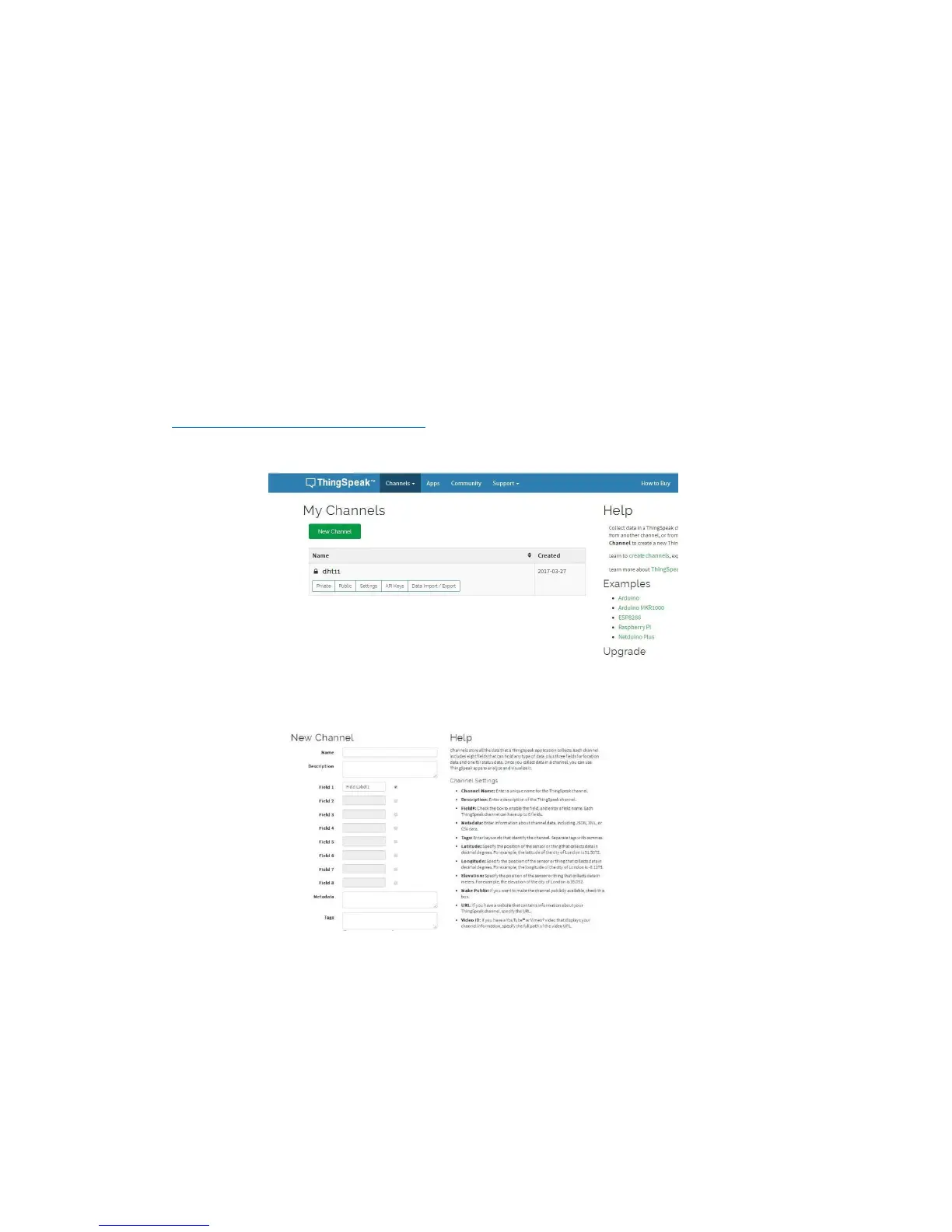
process, log in to your new account and go to My Channels:
Navigate to My Channel
Then you click on the New Channel button, and fill out the form:
Fill out the New Channel Form
Explanation: The name just helps you to recognize your channel among many others that you
might create over time. The important parts are the field names. These names will later show
up in the chart and with this you are telling Thingspeak that the value you send later with the
field1 attribute should be displayed as “Temperature”.
Now navigate to the API Keys tab and note the two generated keys:


 To Next Page