- 55 -
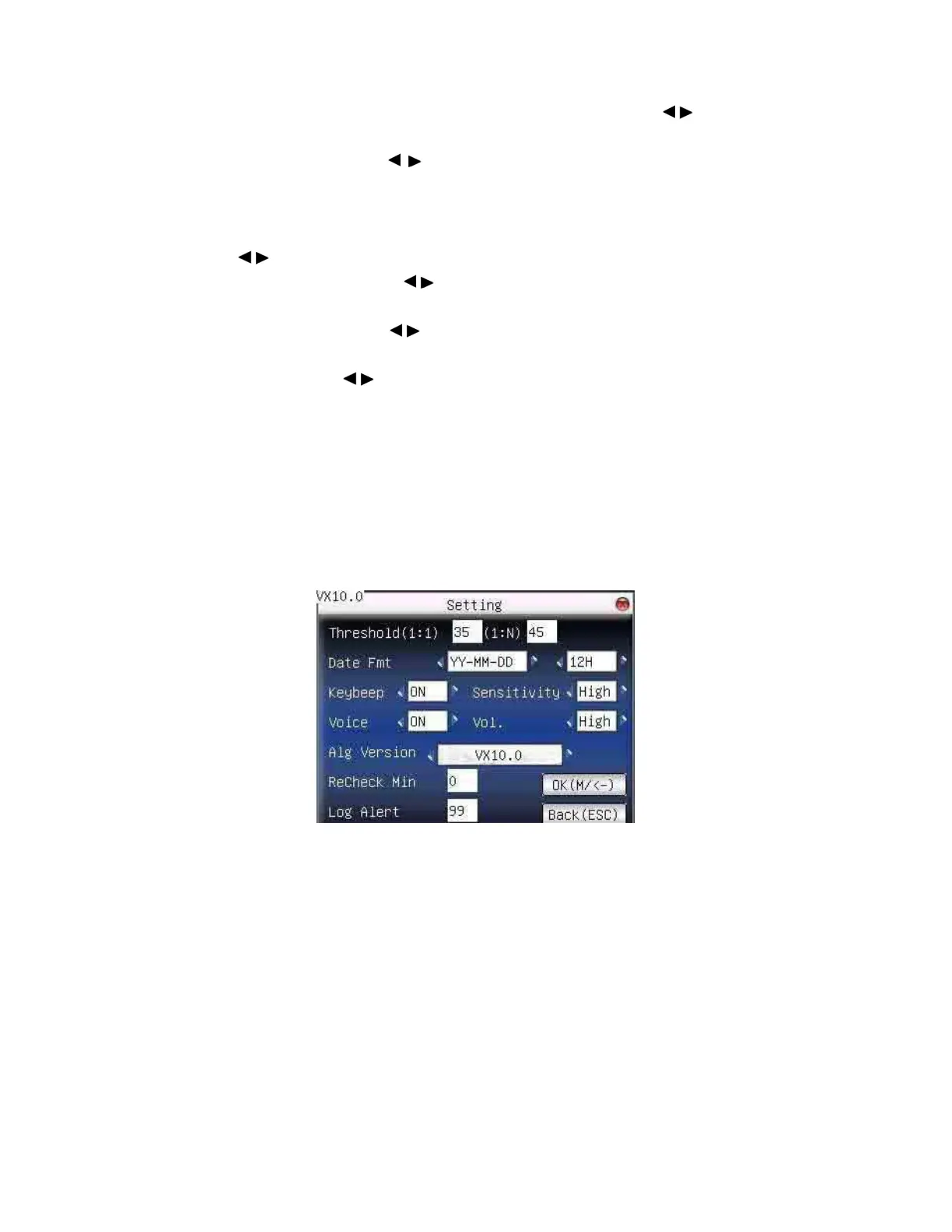
Time format: Time format displayed on initial interface. Press / to
set 24H or 12H.
Date format: Press
/ to select format. The fingerprint sensor
supports ten date format: YY-MM-DD, YY/MM/DD, YY.MM.DD,
MM-DD-YY, MM/DD/YY, MM.DD.YY, DD-MM-YY, DD/MM/YY,
DD.MM.YY and YYYYMMDD. Select your desired date format. Press
/ to set 24H or 12H.
Keyboard voice: Press
/ to set whether the key has voice or not.
“Yes” means having voice, and “No” means no voice.
Voice prompt: Press
/ to select whether to give voice prompt or
not. The device will give corresponding voice prompt during Operation.
Volume: Press
/ to set it.
Attendance record alarm: when the free space reaches the set value,
the device will give alarm automatically (effective value is 0~99,0
means the space is all used and there is no alarm. )
Repeat verification time: it is in the set time range(unit: Minute). If
somebody’s attendance record has been there, then the record of second
attendance won’t be saved. (effective value is 0~60 minutes. 0 means
all the records after verification are saved.)
Operation:
F18 User Manual V1.0



 To Next Page