38
Operating System
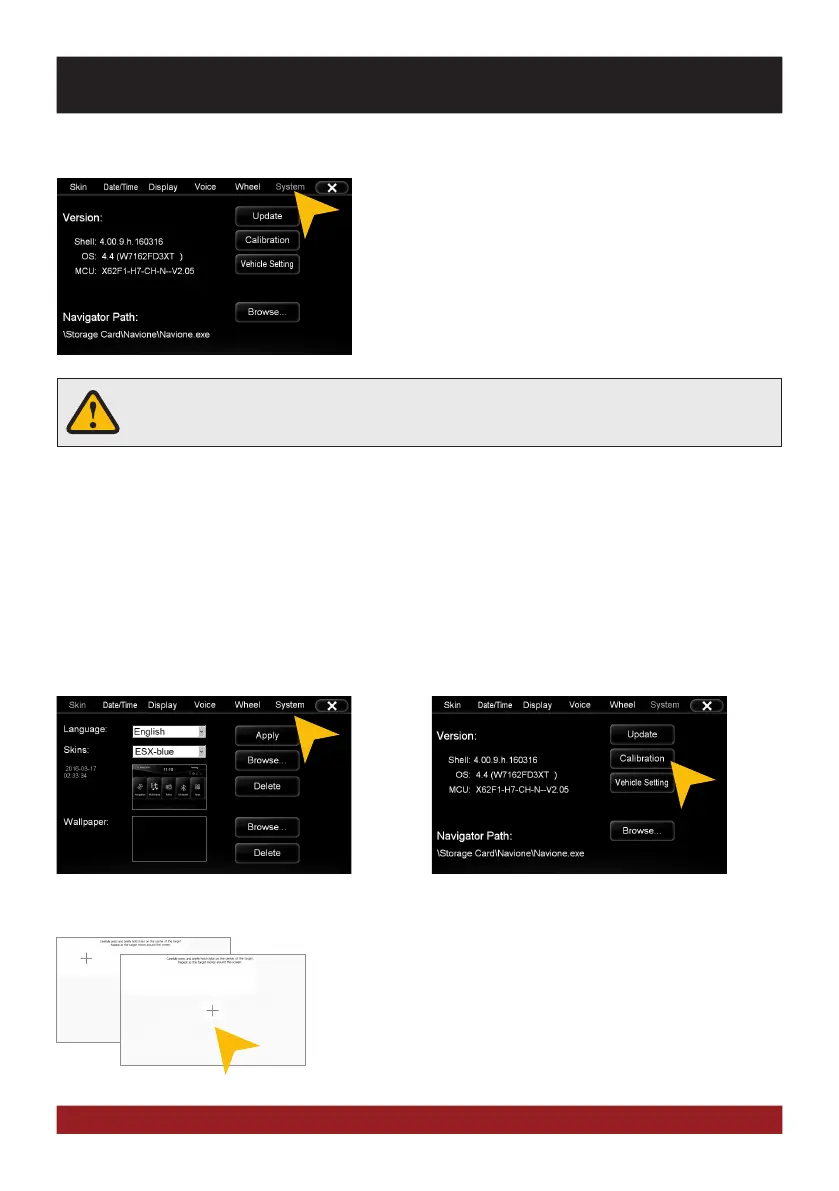
Under „System“ you find information about the system.
Shell: Version number of the user interface
OS: Version number of the operating system
Check under www.esxnavi.de if an operating system update
is available or ask your retail dealer. Then follow the installation
instructions that come with the update.
Do not turn off the car‘s ignition while updating process of the operating system. Don‘t
run the update while driving.
Calibration of the touchscreen operation
If the touchscreen function is inaccurate you can recalibrate the display. Proceed as follows:
Tap with the included stylus marker on the „+“. Then the „+“ will be
moved to another location, then tap again on the „+“ and repeat this
process until the calibration is complete. Then confirm the calibration
process.
Tap on „System“.
Tap on „Calibration“.
BASIC FUNCTIONS


 To Next Page