9 P-TS7 User Manual
Screen
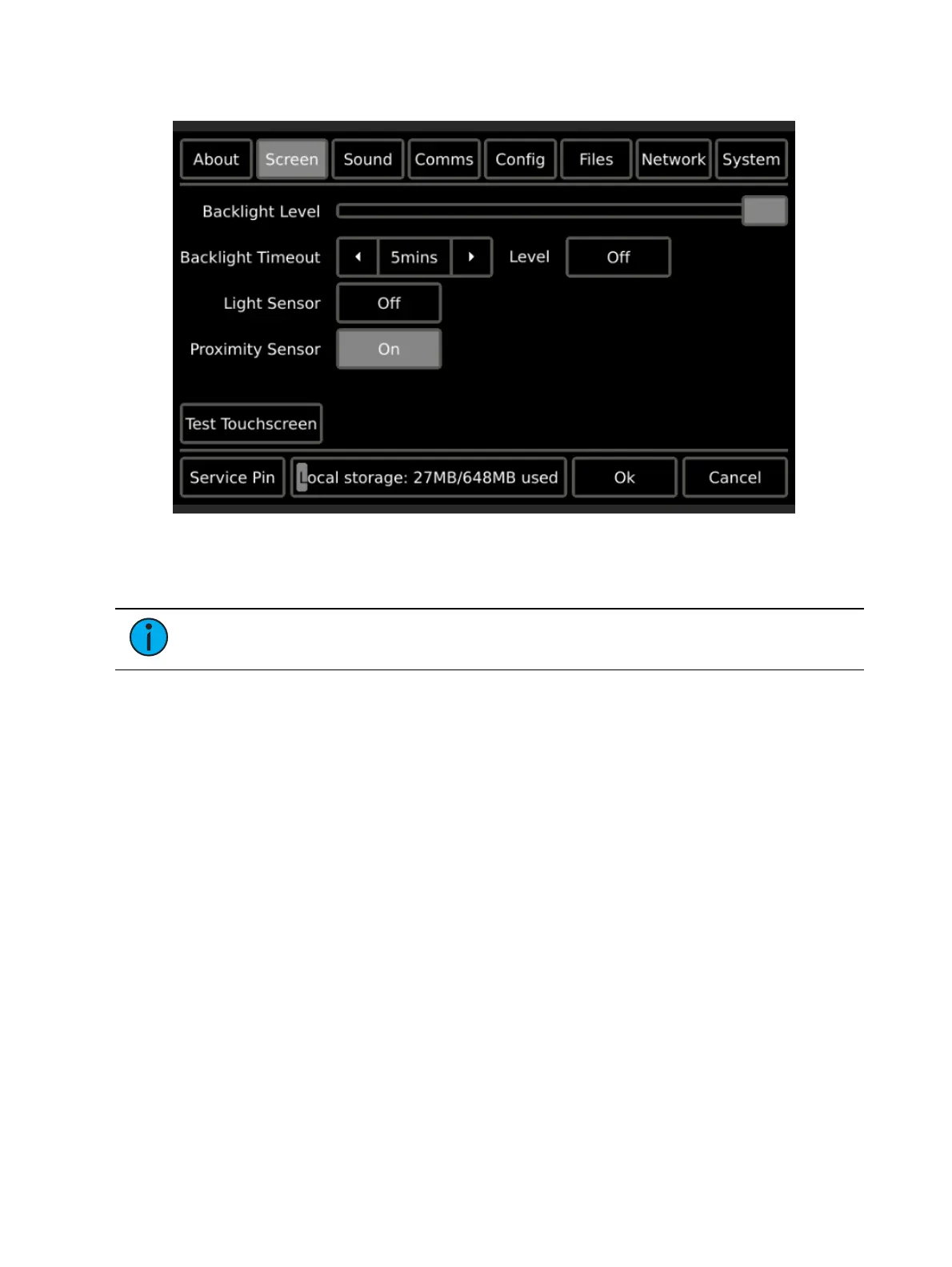
The Screen page provides user level settings for the touchscreen including:
Backlight Level a level bar is provided to set the relative brightness of the touchscreen
backlight. By default, the level is set to full
Note:
When the light sensor is “On”, the Backlight Level sets the maximum level of
brightness.
Backlight Timeout sets the length of inactivity time before the backlight fades to its
backlight timeout level. This is separate from any configuration related Inactivity Timeout
settings
Level the intensity level the backlight will fade to when its
Backlight Timeout
has been
reached. This level can be set to either “Off” or “Dim”
Light Sensor allows the touchscreen to determine an appropriate backlight level based on
ambient light in the space. The internal light sensor measures the ambient light and
adjusts the backlight proportionally based on the established backlight level settings. By
default, the light sensor is set to Off.
Proximity Sensor when set to On (the default), proximity allows the touchscreen to detect
a user’s presence as they approach the touchscreen for use. When proximity is detected,
the touchscreen automatically turns on the backlight and displays the inactivity page that
was configured in ControlDesigner. Proximity is only supported on the wall-mount P-TS7.
The proximity sensor uses active IR to determine proximity to the touchscreen. The
sensor has a sensing distance of approximately one foot with a field angle of 15
degrees.
If the sensor registers any moving or stationary objects within this range, it will “wake”
the station from its sleeping state and reset the backlight timeout and the station
inactivity timer as set in ControlDesigner.


 To Next Page