ETC Source Four LED Quick Guide
Soft Focus Diffuser
Source Four LED Profile Page 4 of 8 Electronic Theatre Controls, Inc.
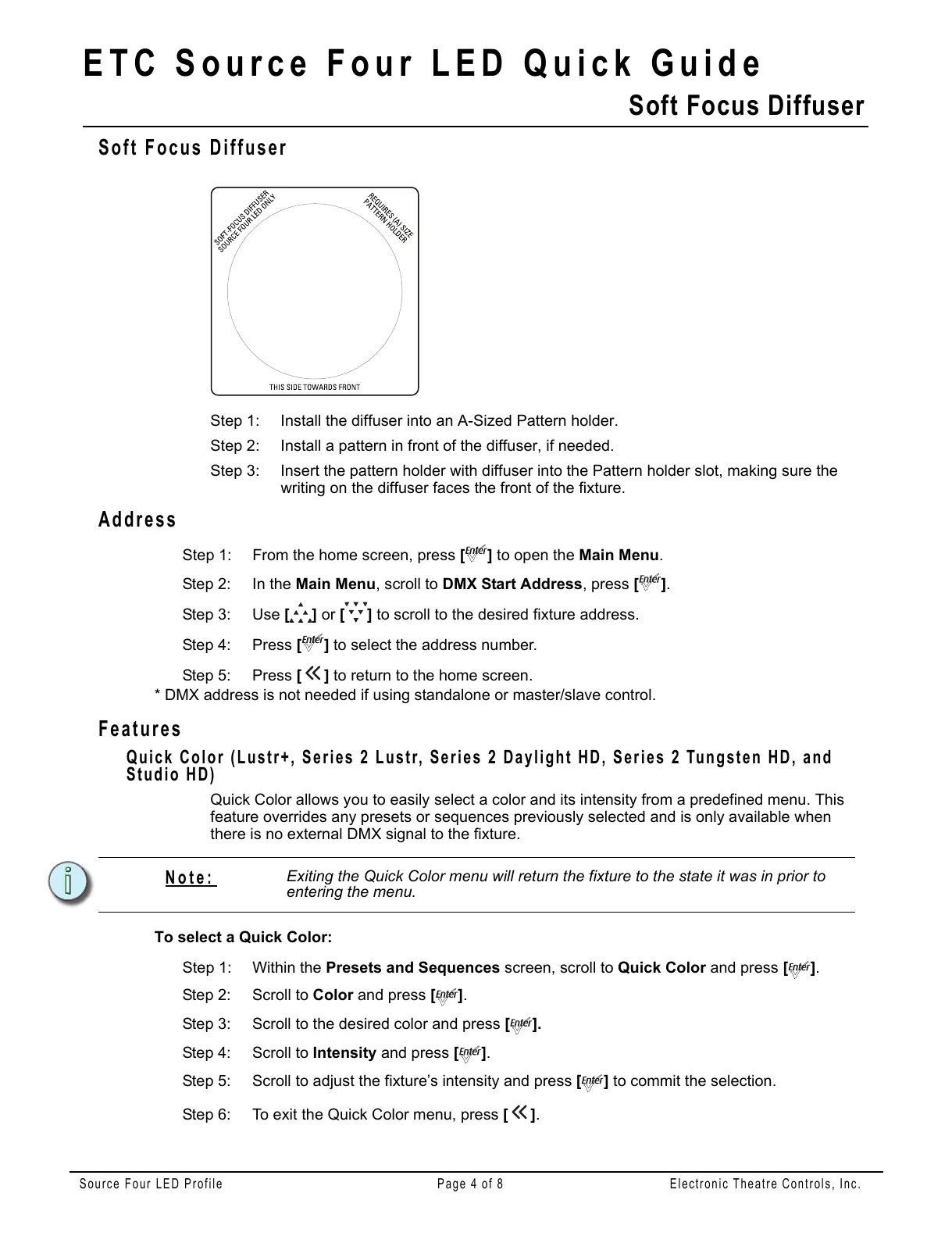
Soft Focus Diffuser
Step 1: Install the diffuser into an A-Sized Pattern holder.
Step 2: Install a pattern in front of the diffuser, if needed.
Step 3: Insert the pattern holder with diffuser into the Pattern holder slot, making sure the
writing on the diffuser faces the front of the fixture.
Address
Step 1: From the home screen, press [] to open the Main Menu.
Step 2: In the Main Menu, scroll to DMX Start Address, press [].
Step 3: Use [] or [] to scroll to the desired fixture address.
Step 4: Press [] to select the address number.
Step 5: Press [] to return to the home screen.
* DMX address is not needed if using standalone or master/slave control.
Features
Quick Color (Lustr+, Series 2 Lustr, Series 2 Daylight HD, Series 2 Tungsten HD, and
Studio HD)
Quick Color allows you to easily select a color and its intensity from a predefined menu. This
feature overrides any presets or sequences previously selected and is only available when
there is no external DMX signal to the fixture.
To select a Quick Color:
Step 1: Within the Presets and Sequences screen, scroll to Quick Color and press [].
Step 2: Scroll to Color and press [].
Step 3: Scroll to the desired color and press [].
Step 4: Scroll to Intensity and press [].
Step 5: Scroll to adjust the fixture’s intensity and press [] to commit the selection.
Step 6: To exit the Quick Color menu, press [].
Note:
Exiting the Quick Color menu will return the fixture to the state it was in prior to
entering the menu.















 To Next Page