Adjustments 9
Adjusting the optional balance yoke position — 15°-30° Zoom
The Source Four 15°-30° Zoom has an optional balance yoke bracket (ETC part # 7060A2028) for
repositioning the fixture’s center of gravity. It is also equipped with a moveable yoke for setting the
fixture’s angle.
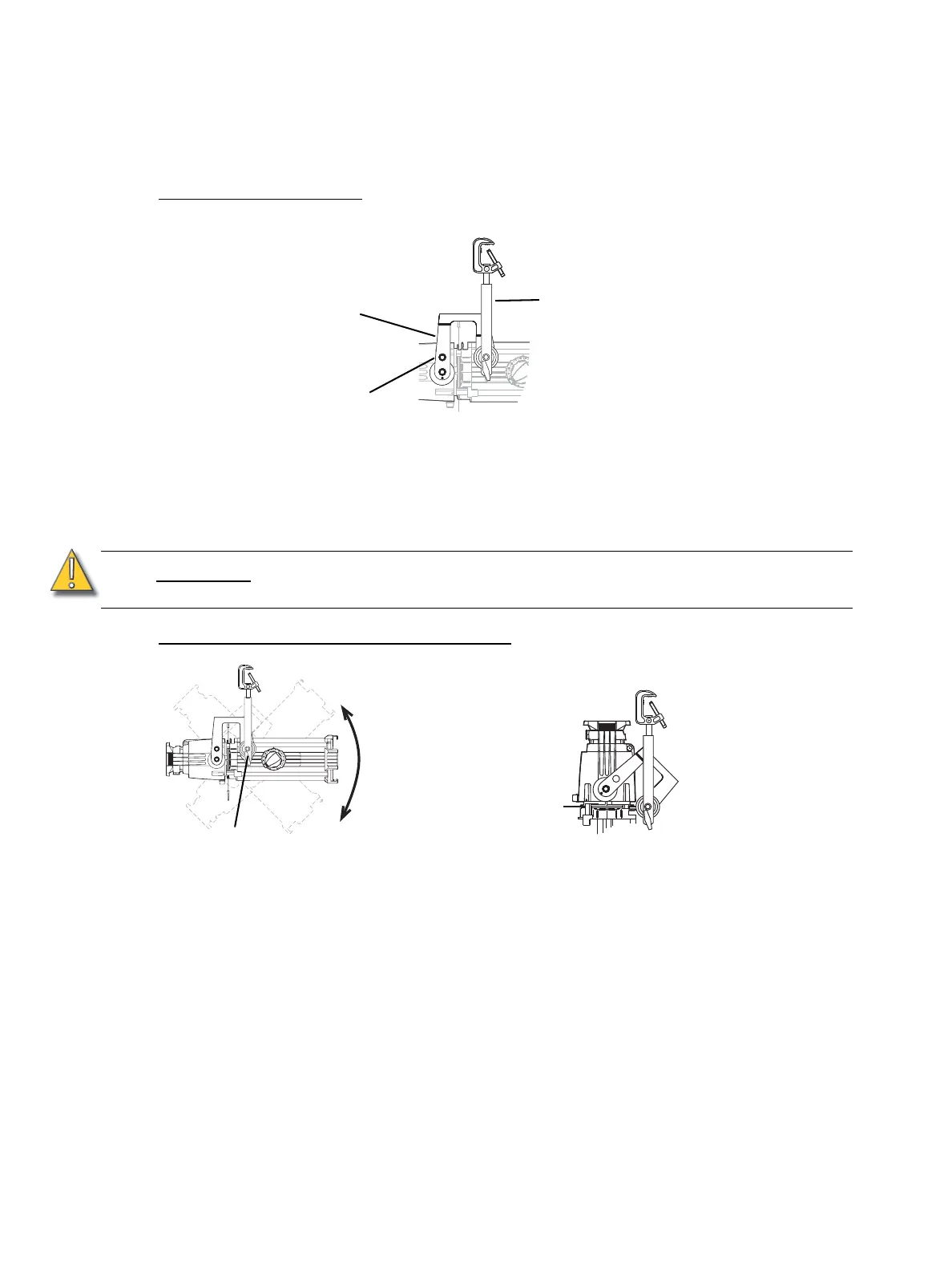
Setting the balance yoke
Step 1: Loosen the balance yoke’s clutch hex bolts on either side of the fixture.
Step 2: Adjust the balance yoke so it is perpendicular to the fixture as shown in Figure 13. If front
of the fixture has several accessories attached, you may need to tilt the balance yoke
towards the front of the fixture to adjust the balance.
Step 3: Tighten the balance yoke’s clutch hex bolts to secure the yoke into position.
Setting the angle within the moveable yoke
Step 1: Loosen the moveable yoke’s locking knobs. Do not remove them.
Step 2: Tilt the fixture to the desired position as shown in Figure 14.
Step 3: Tighten the yoke’s locking knobs to secure the fixture in position.
CAUTION:
Once the balance yoke is locked, adjustments should only be made to the
moveable yoke.
Moveable yoke
Figure 13
Clutch hex bolt
Balance yoke
Figure 14
Yoke locking knob
Horizontal mounting
Vertical mounting



 To Next Page