6 Source Four Zoom User Manual
Step 3: Once the desired field angle is established, slide the light baffle forward to soften or
backward to sharpen the edge.
Step 4: Once the field and edge are established, press the locking lever to lock the focus dial into
position.
Shaping the beam
The beam can be shaped using the shutters (see Figure 1), a pattern, an optional drop-in iris, or by
rotating the barrel.
Pattern Projection
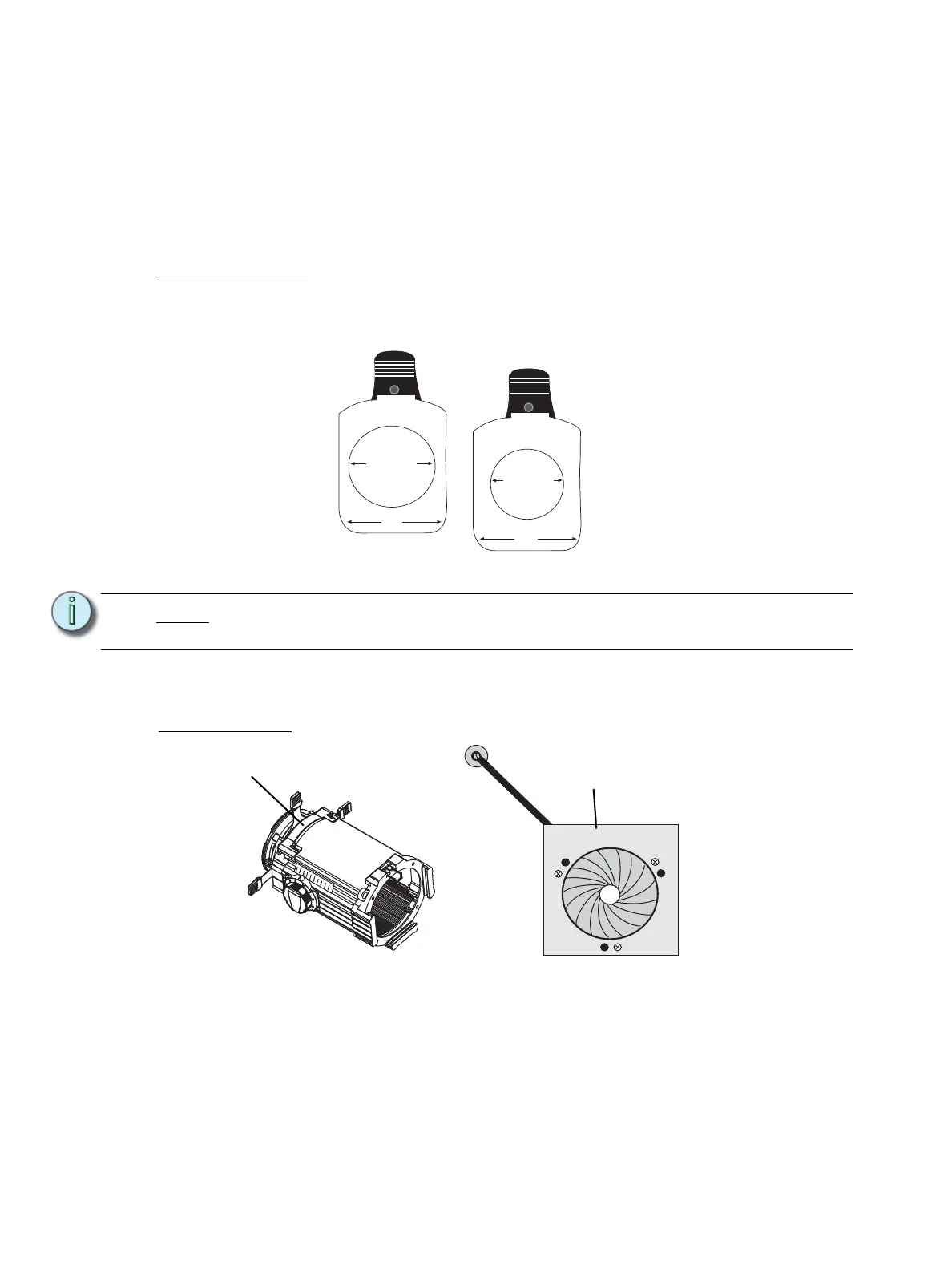
The pattern holder slot is on the top side of the barrel and in front of the shutters. It accommodates
A-size, B-size and glass pattern holders (see Figure 7).
Use an optional donut in the accessory holder to enhance pattern projection. Donut diameter range
should be 2.5” to 2.75”.
Drop-In Iris Slot
The drop-in iris slot is located on the top of the barrel and in front of the pattern holder slot. It
accommodates either a drop-in iris or a motorized pattern device. When the slot is not in use, a
small sheet metal cover secured with two Phillips screws prevents light leakage (see Figure 8).
Step 1: Use a screwdriver to loosen the screws on the drop-in iris slot cover. Do not remove
thumbscrews.
Step 2: Slide the cover completely forward to expose the slot.
Step 3: Insert the iris or motorized pattern device. For an iris, install the flat side toward the
shutters and make sure the iris handle extends from the slot.
Note:
Because the Source Four aperture is 3 inches wide, ETC recommends
using A-size patterns for maximum pattern effectiveness.
3.12" Diameter
3.70"
2.75" Diameter
3.70"
Figure 7
A-Size Pattern holder:
holds 3” diameter patterns
B-Size Pattern holder:
holds 2.5” and 2.75”
diameter patterns
Drop-in iris slot
Iris
Figure 8



 To Next Page